

Lean Incident Management & On-Call
The platform for alerting, on-call scheduling and status pages.
Trusted by

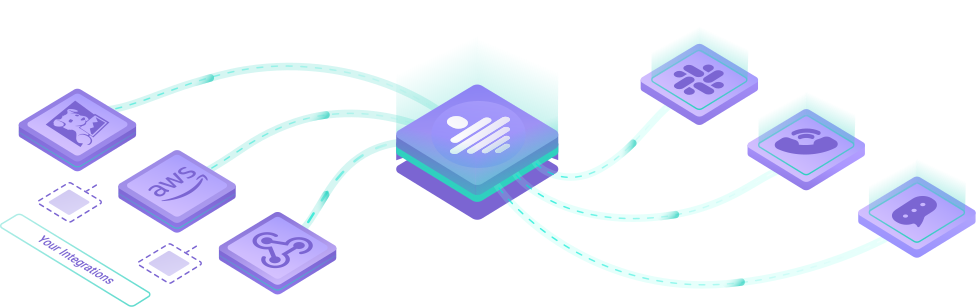
Connect your observability stack
Choose from 50+ built-in integrations. Be up and running in minutes.
-
AWS Amazon CloudWatch
-
Datadog

-
Google Cloud Monitoring

-
Grafana

-
Linear

-
Mattermost

-
Microsoft Teams
-
Prometheus Alertmanager

-
PRTG

-
Sentry

-
ServiceNow

-
Slack

Most popular integrations
















































































On-Call schedules, rotations & escalations
From simple schedules to follow-the-sun rotations, All Quiet lets you configure your on-call calendar that works for your team.
Example 1: Weekday-Weekend schedule
Escalation Tier 1
Monday - Friday
James Watson
Sandra Mayer
Saturday - Sunday |
rotates weekly
James Watson
Week 1Sandra Mayer
Week 2Example 2: Day-and-Night shift schedule
Escalation Tier 1
☀️ Everyday 08:00 - 20:00
Jessica Smith
🌙 Every night 20:00 - 08:00
David Miller
escalates automatically after 10 min to
Escalation Tier 2
☀️ Everyday 08:00 - 20:00
Michael Brown
Jessica Smith
🌙 Every night 20:00 - 08:00
Emily Johnson
David Miller
Multi-Channel alerting
SMS, phone calls, emails and push notifications to our native apps.
Collaborate with Slack, Microsoft Teams, Jira, Linear & other tools.
Integrations report incident to App - interact
⛔️ Critical: Datadog
10m ago
🔧 Created by Datadog
Resolve
✅Investigate
👩💻Comment
💬Phone call reminder - incident unresolved

All Quiet
5m ago
Urgent Call
Team member investigates - Slack Push

All Quiet (Bot)
#incidents_channel
3m ago
# 👩💻 Investigated by Sandra.
Incident got resolved - SMS

All Quiet
now
Resolved: Datadog
Resolved by Sandra.
https://allquiet.app/app/incidents/
Integrations report incident to App - interact
⛔️ Critical: Datadog
10m ago
🔧 Created by Datadog
Resolve
✅Investigate
👩💻Comment
💬Phone call reminder - incident unresolved
All Quiet
5m ago
Urgent Call
Team member investigates - Slack Push
All Quiet (Bot)
#incidents_channel
3m ago
# 👩💻 Investigated by Sandra.
Incident got resolved - SMS
All Quiet
now
Resolved: Datadog
Resolved by Sandra.
https://allquiet.app/app/incidents/
Update stakeholders with status pages
Built trust and let customers know you’re on top of every resolution.
Share incident updates instantly.
Your Demo Cloud Infrastructure
Your demo cloud hosting environment and platform services
Designed for developers
We know managing incidents is tough.
That’s why All Quiet is easy to use - configure via Terraform, Public API or Web UI.

Terraform
resource "allquiet_routing" "mute_slack_for_minor" {
  team_id      = allquiet_team.my_team.id
  display_name = "Mute Slack Outbound Integration When Minor"
  rules = [{
    conditions = {
      severities = ["Minor"]
    },
    channels = {
      outbound_integrations       = [allquiet_outbound_integration.slack.id]
      outbound_integrations_muted = true
    }
    }
  ]
}
Config through Web App
Routing Rule
Mute Slack Outbound Integration When Minor
Conditions
Channels

Less noise, lower bills - ask our customers

How Uberspace migrated to All Quiet and cut their Incident Response Tooling costs by 50%.
Read success story »
- “Super easy to set up, configuring AlertManager as inbound and Slack as outbound and you are set” - Daan, Rootline
- “Awesome Incident Management! I couldn't be happier with All Quiet!” - Richard, Locus Health
- “Amazingly responsive customer success & dev team.” - Ben, Compass Labs
- “All Quiet is the modern update to PagerDuty I've been looking for” - Flip, Arches
Simple and transparent pricing plans
We want to offer maximum value-for-money to customers.
That's why our pricing plans don't include any artificial barriers like user limits. Instead, Pro and Enterprise plans rather include more complex and customized solutions.
Pick your plan, starting from $4.99 per user / month.
All plans include
 Unlimited Escalation Policies
 Unlimited Notification Policies
 Unlimited Routing Rules
Frequently Asked Questions (FAQ)
What is All Quiet and how does it work?
All Quiet is a modern incident management platform that helps teams stay in control during outages, alerts, and emergencies. It supports the whole incident response, centralizing notifications, automating escalation policies, and ensuring the right people are notified through their preferred channels, before supporting resolution in your favorite collaboration tools and post-mortem creation to learn with each incident. All Quiet reduces noise and resolution times.
Who can benefit from using incident management software like All Quiet?
All Quiet is built specifically for DevOps, SRE, and IT operations teams that need a reliable, noise-free way to manage alerts and incidents. The whole product is developed to help you fix issues faster, so you can resolve issues faster. Whether you’re a small startup or a large enterprise, All Quiet ensures seamless on-call management and rapid issue resolution.
Is All Quiet suitable for remote or hybrid teams?
Yes. All Quiet is designed for distributed and hybrid teams. With multi-channel alerting, flexible on-call scheduling and integrated collaboration tools, it keeps remote responders aligned across time zones and devices. You can read about how All Quiet helps remote teams in our blog.
What makes All Quiet different from other incident management tools?
Unlike legacy platforms, All Quiet focuses on simplicity, automation, and developer-first integrations. It combines powerful alert routing with a frictionless user experience, helping teams reduce alert fatigue and increase uptime. Because of our fit-to-purpose design, All Quiet is incredibly easy to use, but grows more powerful as you scale. All of that comes at a simple and outstanding price.
Published · Updated