

Snooze Integrations to Reduce Noise
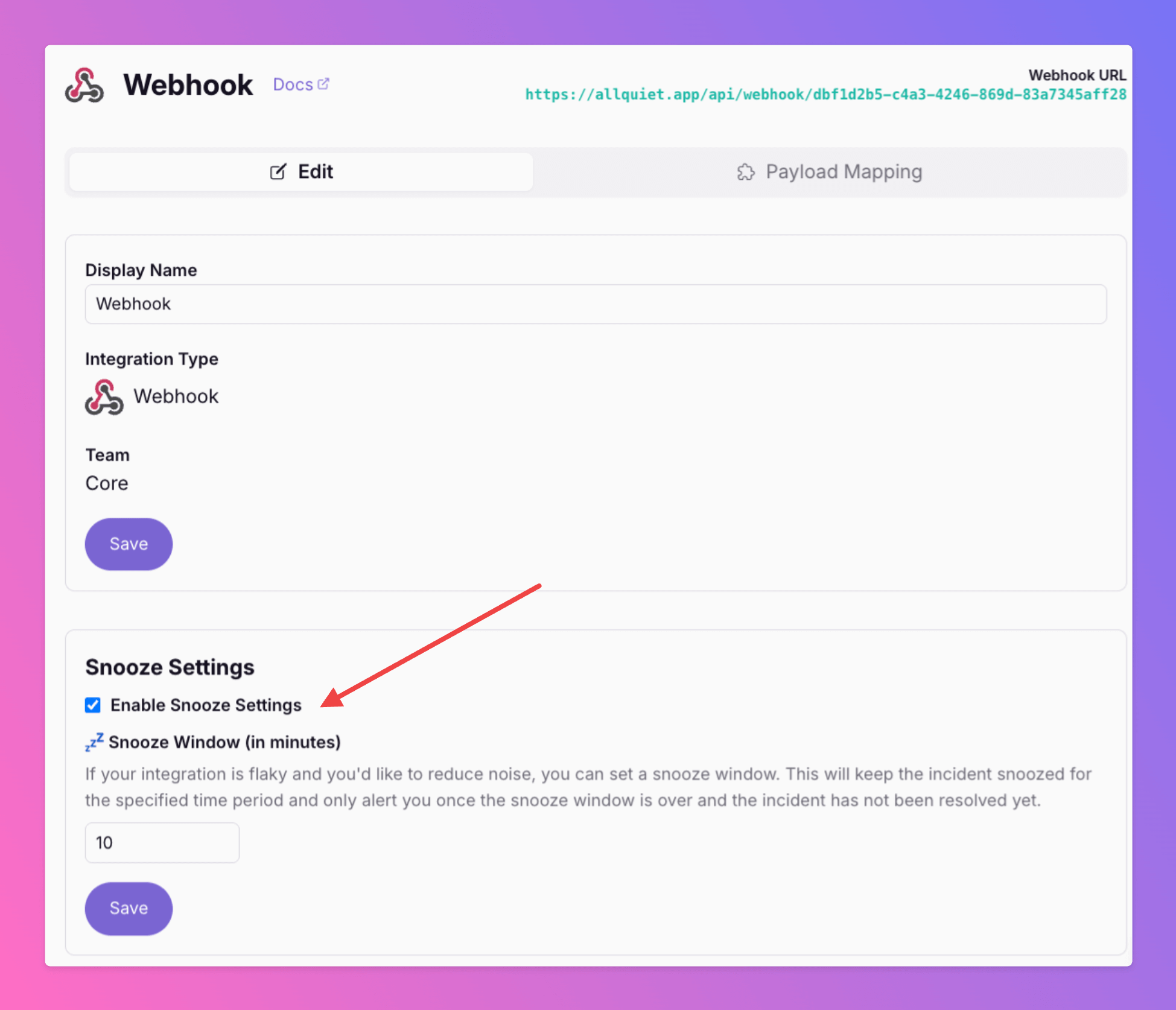
Is your integration sometimes flaky and trigger incidents that auto-resolve just minutes later? Reduce noise and minimize stress for your on-call colleagues by activating the new "Snooze" feature.
Published: Sunday, 09 March 2025
Is your integration sometimes flaky and trigger incidents that auto-resolve just minutes later? Reduce noise and minimize stress for your on-call colleagues by activating the new "Snooze" feature.
With Snooze activated..
newly created incidents will only alert on-call members once the snooze window ends.
auto-escalations are on-hold
incidents that resolve during the snooze window remains snoozed and do not alert your team
Once unsnoozed, Tier 1 on-call members are alerted and any potential auto-escalations begin.
Now, you can reduce even more noise with us and keep you on-call colleagues calm!
Learn how to set this up: https://docs.allquiet.app/essentials/inbound#receiving-payloads
More updates
-
Snooze Mode Just Got Smarter
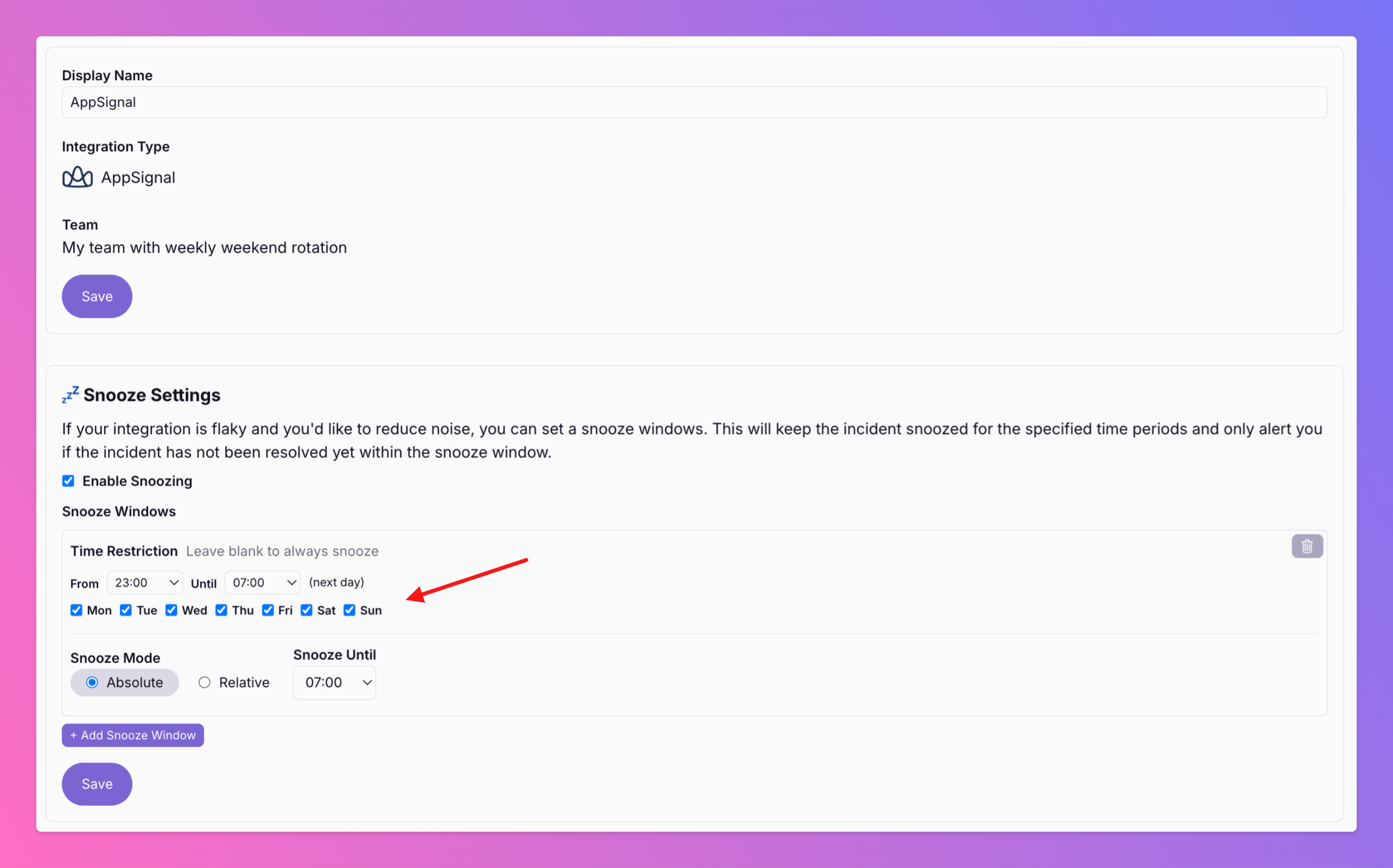
You can now set time restrictions for the snooze window, allowing you to snooze only during specific periods, such as working hours, to maintain focus.
-
Linear Inbound Integration | Create All Quiet incidents by updating Linear issues
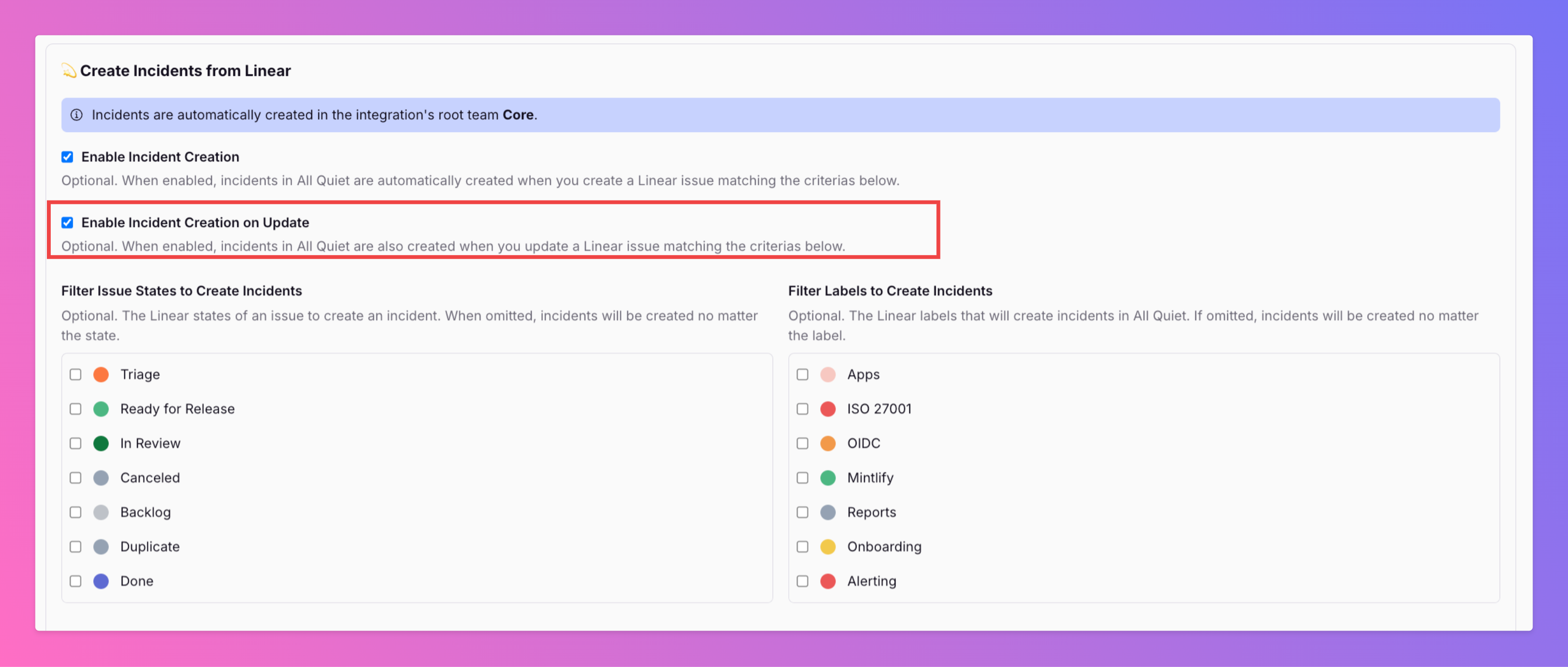
In the past, you've already been able to create All Quiet incidents by creating Linear issues matching certain criteria. Now, you can also create All Quiet incidents by updating existing Linear issues .
Published