

Add or Change Incident Attributes based on Incident Conditions
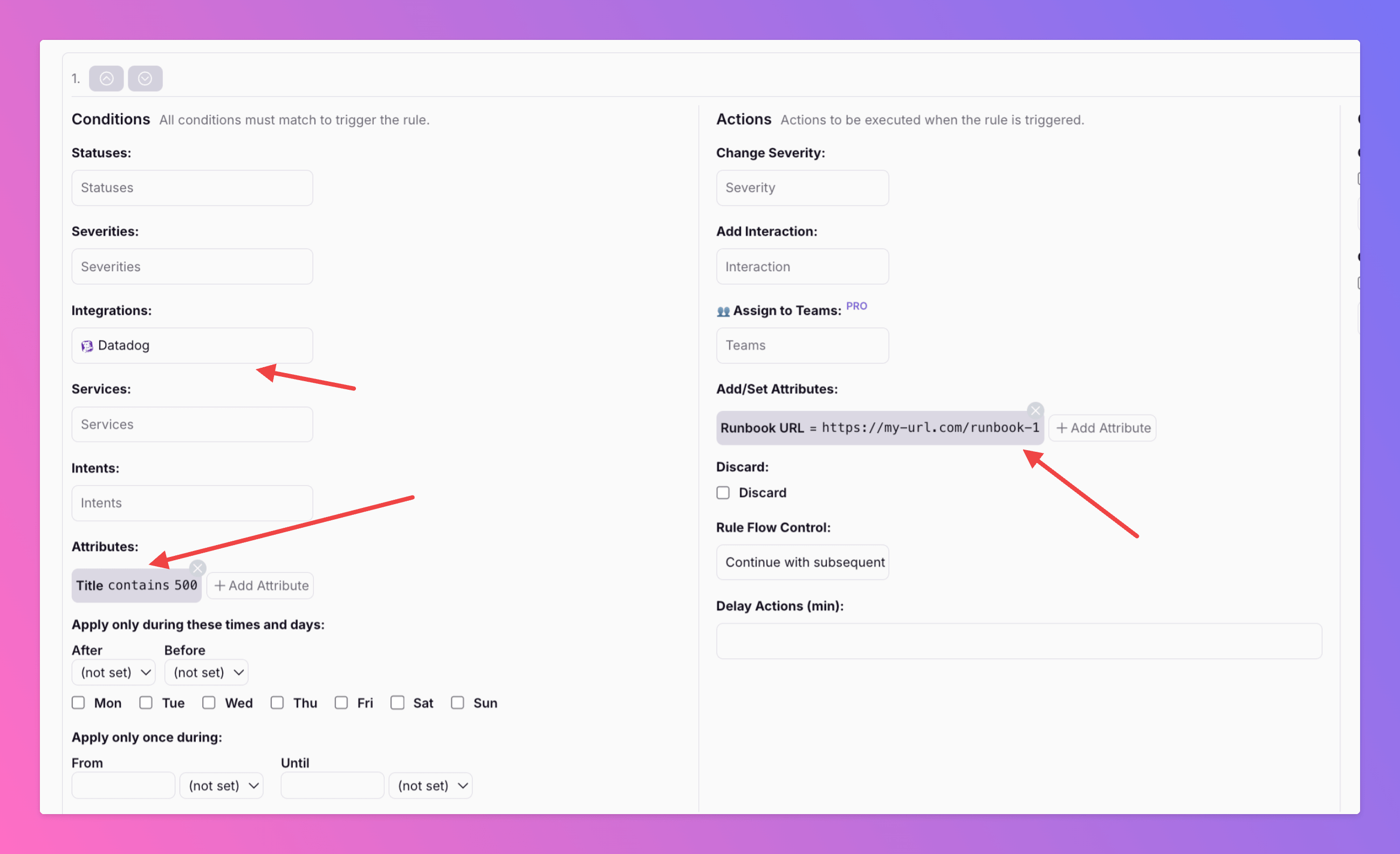
Want to add or modify incident attributes based on specific conditions? With our latest update in the Routing & Workflows section, you can now do exactly that.
Published: Thursday, 20 February 2025
Want to add or modify incident attributes based on specific conditions?
With our latest update in the Routing & Workflows section, you can now do exactly that.
For example, you can link different runbooks based on the incident title and integration (see the example above).
Incident attributes can also be adjusted in the payload mapping section of most inbound integrations.
Learn more about Routing Actions: https://docs.allquiet.app/advanced/routing#configure-actions
Want to map runbooks or other incident attributes via the integrations' payload mapping section? This blog article can help: https://allquiet.app/blog/map-incidents-to-runbooks
More updates
-
Introducing \\\\
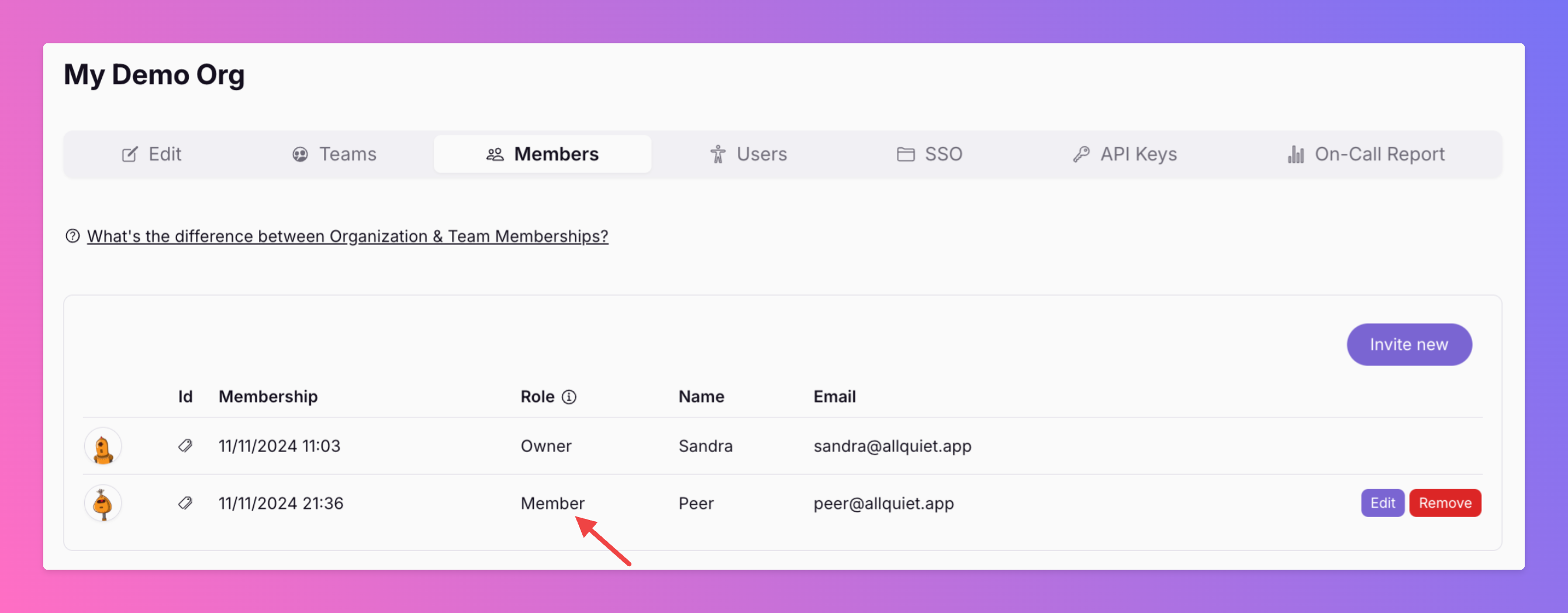
These users have implicit member rights in all teams and, therefore, can also interact with incidents that are currently in other teams than their own - a great additional role for users that shouldn't have any admin…
-
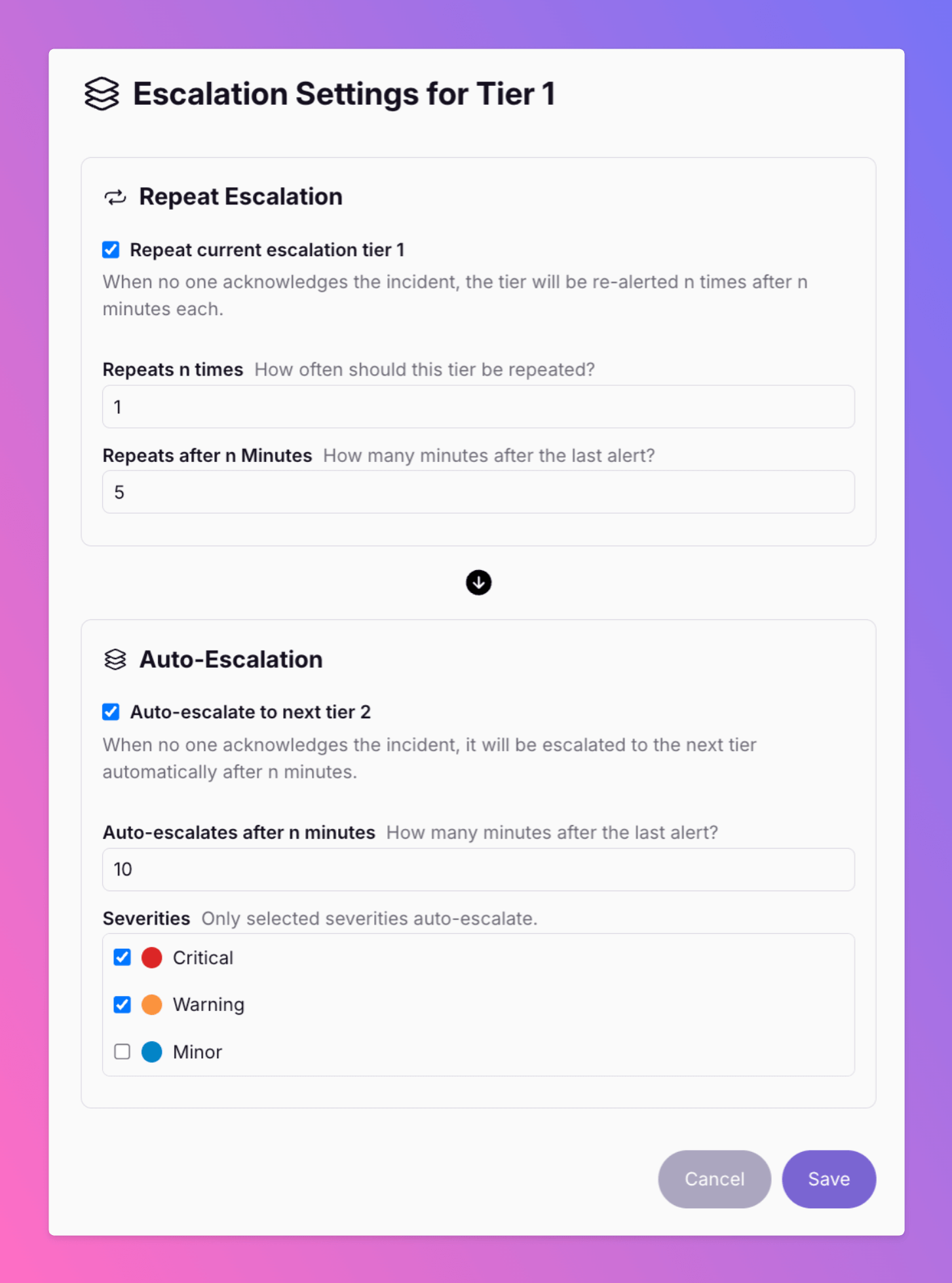
New - Repeat Escalation Tier & Filter for Severities
We've added further improvements to the Team Escalations. ______________________________________________________________________________________ Want to re-alert your Tier 1 users before auto-escalation to Tier 2?
Published