

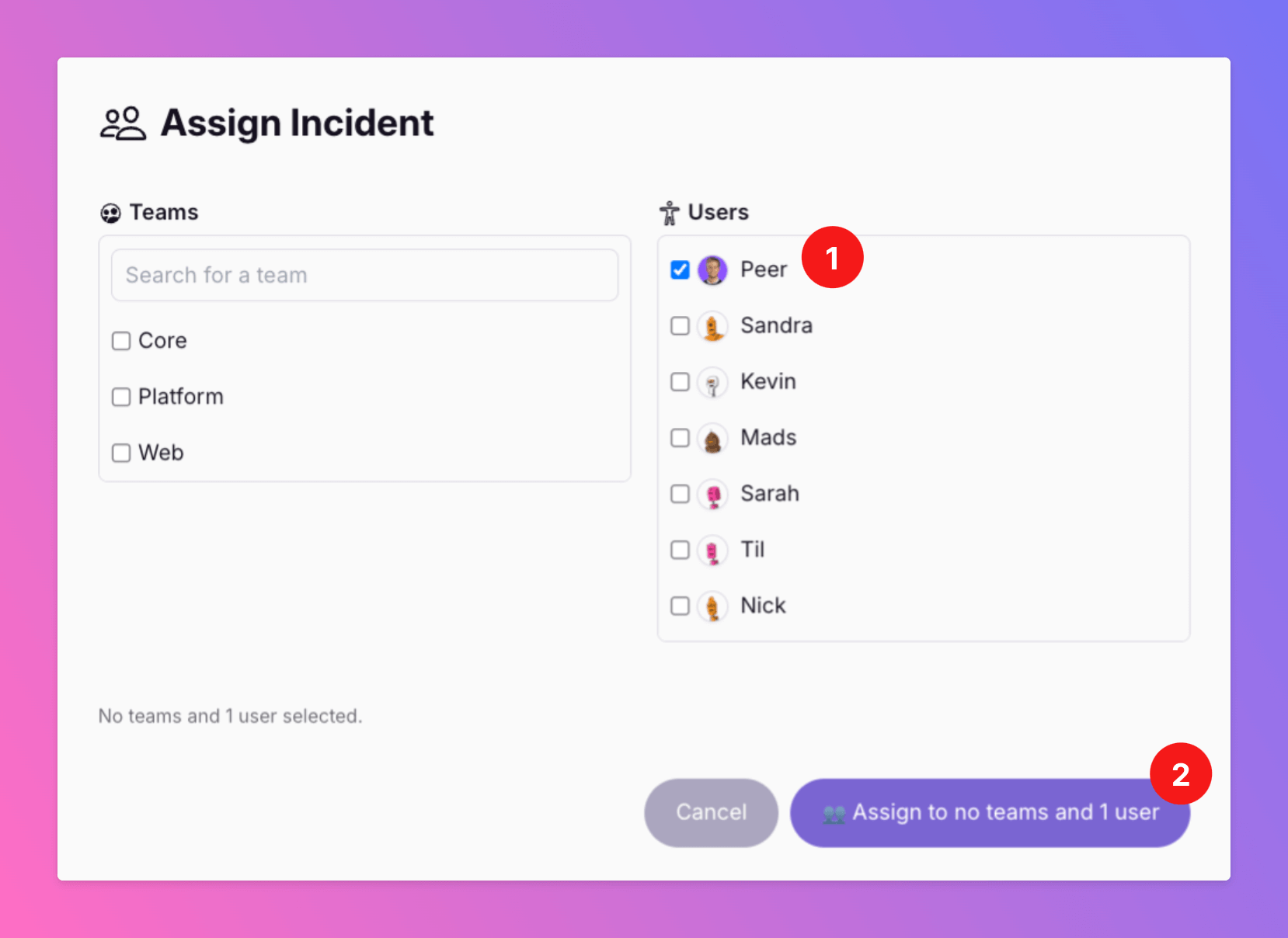
Assign Incidents to Specific Users
“How do I make sure the right person sees this - without spamming everyone?” “What if someone specific needs to be involved, even if they’re not on-call?”
Published: Tuesday, 25 March 2025
“Why isn’t this incident getting resolved?”
“How do I make sure the right person sees this - without spamming everyone?”
“What if someone specific needs to be involved, even if they’re not on-call?”
We’ve all faced incidents where a specific person needs to step in - whether to take ownership or provide critical input. But until now, incident assignment has been rigid, often relying only on on-call schedules.
That’s why we built precise incident assignments in All Quiet.
With our new Assign to User feature, you can:
✅ Directly assign an incident to the right person - even if they’re not on-call.
✅ Include key individuals in the resolution process, ensuring no critical knowledge is missed.
✅ Prevent unnecessary escalations by making ownership crystal clear.
No more chasing people down or hoping the right team picks it up. Just faster resolution with the right people involved.
Try it now and keep your incident response focused and efficient. 🚀
Here's how it works: https://docs.allquiet.app/essentials/incident#/essentials/incident#assign-to-user
More updates
-
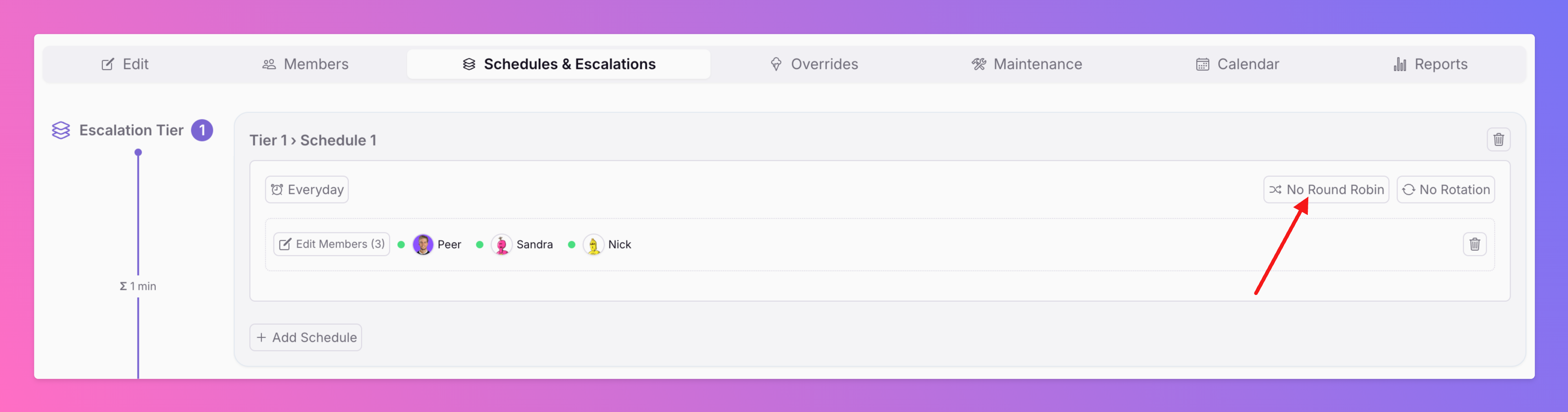
Distribute Incidents Across Your On-Call Users With Round Robin Alerting
We’ve just launched Round Robin Alerting —a smarter way to distribute incidents fairly when multiple people are on-call at the same time. Round Robin ensures that no single person is overwhelmed by consecutive incidents.
-
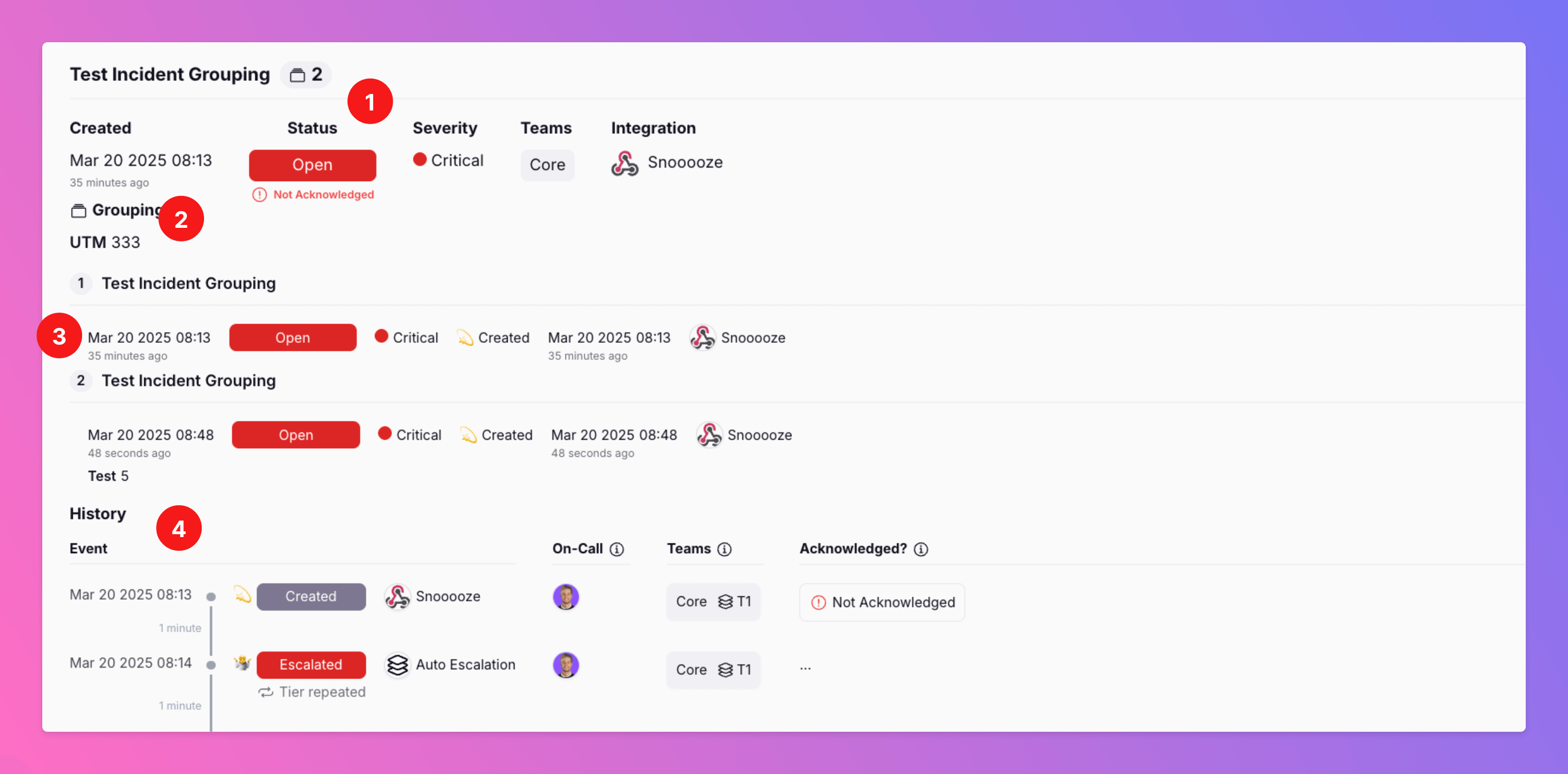
🆕 Incident Grouping Helps to Reduce Noise
Are you experiencing a cascade of connected alerts for certain incidents that occur in your system? Our incident grouping feature helps cut through the noise, keeping your team focused on resolving the issue.
Published