

Inbound webhooks: IP filter and bearer authentication
Webhook-based inbound integrations can now restrict who can POST to your URL. Optionally enable IP filtering, bearer token authentication, or both — so only your monitoring tools can open incidents.
Published: Tuesday, 23 June 2026
Webhook-based inbound integrations can now restrict who is allowed to POST payloads to your URL.
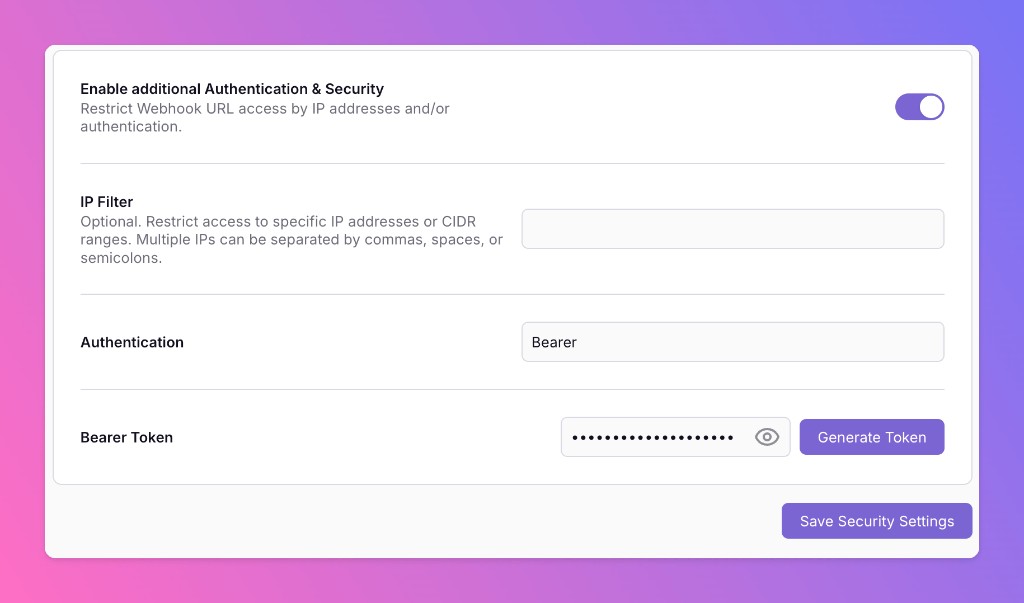
On the integration settings page, toggle Enable additional Authentication & Security below the webhook URL:
- IP Filter — Allow requests only from specific IP addresses or CIDR ranges (comma-, space-, or semicolon-separated). Requests from other IPs receive 404 Not Found.
- Bearer authentication — Require
Authorization: Bearer YOUR_TOKEN. Missing or invalid tokens receive 401 Unauthorized.
If both are enabled, the request must pass both checks to be accepted.
Why this matters
Your webhook URL is the front door to your incident flow. Without protection, anyone who discovers the URL can trigger alerts, create noise, or probe your routing rules.
Locking the endpoint down means:
- Only your tools can open incidents — monitoring, APM, and custom scripts you explicitly allow.
- Defense in depth — combine IP allowlists (e.g. your vendor's egress IPs) with a secret bearer token so a leaked URL alone is not enough.
- Fail closed — rejected requests never reach mapping or routing; they stop at the edge with 404 or 401.
Use Generate Token in the UI to create a strong bearer token, then configure the same token on the sending side. IP filter and bearer auth are optional and independent — enable what fits your setup.
More updates
-
Improved Slack, Teams and Mattermost Message Formats
We updated how All Quiet formats incident messages in Slack. Additionally, we also improved display of group incidents in Microsoft Teams and Mattermost, as well as in email notifications
-
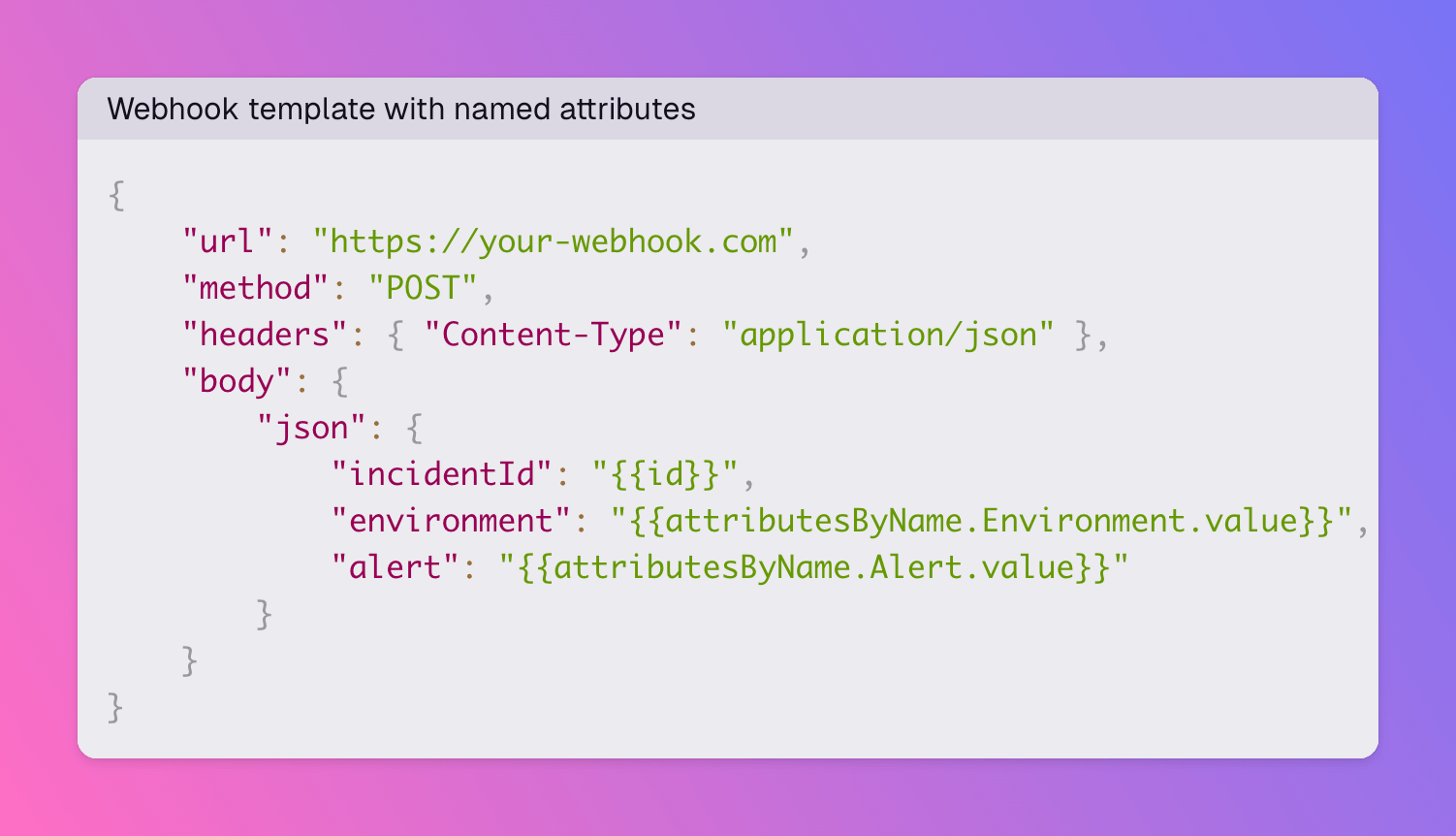
Outbound webhooks: look up incident attributes by name in templates
Outbound webhook Handlebars templates now expose attributesByName on the incident model. Reference a specific attribute by name instead of relying on its position in the attributes array.
Published