

Product Guides & Tutorials
Incident Severity Levels (SEV0-SEV4): Matrix, Examples & Free Template
Quick answer
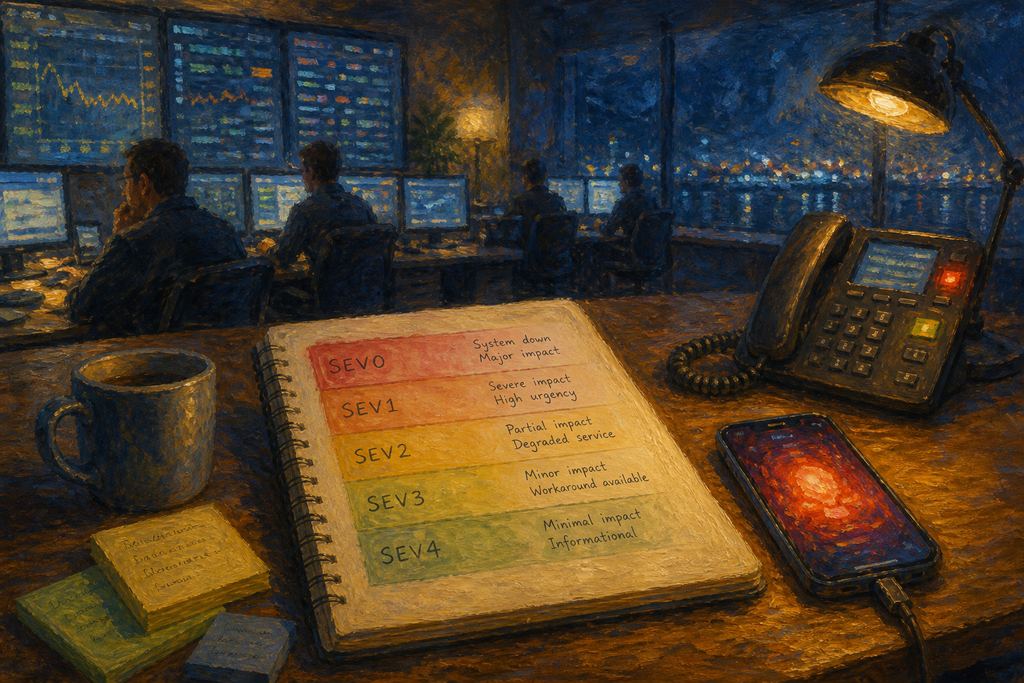
Incident severity levels rank an incident by business impact, so everyone agrees how bad it is before deciding what to do. The common five-level scale runs SEV0 (total outage) through SEV4 (cosmetic). Many teams simplify to three: Critical, Warning, Minor, or high/medium/low, because severity's practical job is deciding how much an incident may interrupt someone: silently, noisily, or unavoidably.
SEV0 to SEV4 defined with a severity matrix, real examples, response targets, why most teams only need Critical / Warning / Minor, and a free copy-paste template.

By Nikolas Köppl · Go-to-market at All Quiet

Reviewed by Maximilian Beller · Co-Founder & CTO at All Quiet
Updated: Tuesday, August 11, 2026
Published: Tuesday, August 11, 2026
That's the definition. The hard part is the next bit: writing criteria concrete enough that two engineers who've never met classify the same alert the same way at 03:00. Most severity matrices fail there, they say "significant customer impact" and leave "significant" to a sleep-deprived judgment call.
This is the full version: a matrix you can copy, worked examples for each level, how severity should wire into your paging rules inside whatever incident management software you run, and a blank template at the bottom. If you just want the one-paragraph definition, our glossary entry on severity levels (SEV) covers it in thirty seconds and the related entry on severity vs. priority covers the distinction people most often get wrong.
SEV0-SEV4, defined
One honest caveat before the table: there is no standard. Some organisations run SEV1-SEV3 (SEV1 = worst), some run SEV0-SEV4 (SEV0 = worst), some use P1-P5, and plenty skip numbers entirely in favour of words: Critical, Warning, Minor. Nobody is wrong. Anyone who tells you their scale is the industry standard is describing their last job.
We use SEV0-SEV4 below because it's the widest common version: five levels means every other scale maps cleanly onto it, so you can read this table whichever convention you already run. Once you've seen what lands in each of the five buckets, we'll cover why we ship three levels rather than five, and how the two line up.
| Level | Definition | Example | Response target (starting point) |
|---|---|---|---|
| SEV0 — Critical | Complete outage of a core service, or confirmed data loss / security breach. No workaround. Revenue or safety is actively affected. | Checkout is down for all customers; the primary database is unreachable; customer data has been exposed. | Page immediately, 24/7. Ack ≤5 min. Incident commander assigned. Status page updated inside 15 min. Execs notified. |
| SEV1 — Major | Core functionality broken for a large share of users, or a single high-value customer fully down. Workaround is painful or nonexistent. | Sign-in failing for one region; payments succeeding but receipts not sending; your biggest account can't use the product. | Page immediately, 24/7. Ack ≤15 min. Status page updated. Comms lead if it runs past an hour. |
| SEV2 — Moderate | Degraded service or a broken secondary feature. A real workaround exists, and most users can still do the main thing. | Search is slow but working; exports queue for 20 minutes instead of 20 seconds; one non-critical integration is failing. | Page during business hours only. Ack ≤1 hour. Fix in the current sprint. No status page unless customers ask. |
| SEV3 — Minor | A defect with limited blast radius and an obvious workaround. Annoying, not damaging. | A filter resets on page refresh; a webhook retries twice before succeeding; a report shows a stale timestamp. | No page. Ticket with an owner. Next business day. |
| SEV4 — Cosmetic / informational | No functional impact. Visual defects, log noise, or things you want tracked but not chased. | Misaligned button; a deprecated-API warning in logs; a monitoring alert that fired on a known maintenance window. | No page, no SLA. Backlog. Useful mostly as a data point in trend reviews. |
Response targets are a starting point, not gospel. Set yours from your actual SLOs and the size of your on-call rotation: A four-person team promising a five-minute 24/7 ack is promising burnout. Write down what you can genuinely sustain, then tighten it once you've measured.
One note on wording: "page" here means an alert that actively chases a person, a phone call or an SMS. Email and push notifications land in a queue you check. So "no page" never means "no notification"; it means nobody gets interrupted.
What each level looks like in practice
The definitions above are easy to nod along to and hard to apply. What follows is the part that actually causes arguments: the call each level tends to get wrong.
SEV0 - inflation. Declare a SEV0 for something that isn't and you've spent your team's willingness to drop everything, which is a currency that doesn't refill quickly. If you're asking whether something is a SEV0, it usually isn't — they announce themselves. If more than a few percent of your incidents are SEV0, either your platform is on fire or your criteria are too loose.
SEV1 - the single big customer. One enterprise account fully blocked looks small on a dashboard and enormous in a renewal conversation. Our take: if a named account is down and contractually entitled to better, it's a SEV1 regardless of the percentage. Write that rule into your matrix explicitly, or it gets re-litigated every time.
SEV2 - upward drift. This is where most incidents actually live, and it's the level most often over-classified, because "degraded" feels urgent when you're the one staring at the graph. The test: can a user still complete the primary job, even if it's unpleasant? If yes, it's a SEV2.
SEV3 - the chronic backlog. The opposite trap. Individually trivial, collectively a signal. Five separate SEV3s in the same subsystem are a SEV2 wearing a trenchcoat, so review them in aggregate rather than one at a time.
SEV4 - the dumping ground that earns its keep. Without a level for cosmetic defects and log noise, trivia gets filed as SEV3 just to be taken seriously, and your SEV3 queue stops meaning anything. It's also where alerts that fire during known maintenance windows belong — and if that bucket is filling up, you have an alert-tuning problem rather than an incident problem.
Why we use three severities instead of five
That's the five-level scale, and it's the one worth knowing because it's the most widely written-down version. All Quiet ships three, Critical, Warning and Minor, and it's worth explaining why, because the reasoning holds whether or not you use our tooling.
Severity exists to answer one operational question: how much is this incident allowed to interrupt someone? A notification system can give three answers.
- Silent. It lands in an inbox and a notification tray. If the phone is on silent, it stays silent.
- Noisy. An SMS. The phone buzzes in a pocket, but nothing rings.
- Unavoidable. A phone call and on iOS and Android it can be allowed to break through silent mode and Do Not Disturb.
Three tiers of intrusion, three severities. A five-level scale still resolves down to one of those three by the time it reaches a person, so the extra levels describe the incident more precisely without changing what actually happens to whoever is on call.
We're not alone in landing there. The de facto convention in Prometheus Alertmanager, probably the most widely deployed alerting configuration in the industry, is a three-value severity label: critical, warning and info, where critical means an immediate human response at any hour, warning means attention during business hours, and info means log it and review it later without notifying anyone. That's the same three tiers, arrived at independently by the monitoring layer. If your alert rules already carry those labels, your severity scale is effectively chosen; the matrix's job is to define what earns each one.
Here's how the scales line up:
| Three-level scale | Also called | Covers, on a five-level scale | What it means operationally |
|---|---|---|---|
| Critical | High severity · P1 | SEV0 + SEV1 | Interrupt someone now, on every channel available. |
| Warning | Medium severity · P2 | SEV2 | Tell someone promptly, but don't ring a phone at night. |
| Minor | Low severity · P3 | SEV3 + SEV4 | Record it. Nobody is interrupted. It gets scheduled. |
If your team speaks in high/medium/low, the mapping is exactly what you'd expect:
- Critical = high severity. Core functionality is gone, or data or security is at risk. Immediate action, major impact.
- Warning = medium severity. Something is degraded and could escalate. Address it promptly to stop it becoming a Critical.
- Minor = low severity. Non-urgent, low impact. Schedule the fix at your convenience.
When five levels are the better choice. If you need finer granularity for reporting, or you run a formal incident-command structure across many services, keep five. The extra levels earn their place in analysis even where the paging rules collapse to three.
And if you do collapse to three, there's one detail worth carrying across. On a five-level scale, SEV0 typically assigns an incident commander and notifies executives while SEV1 doesn't. Merging them means deciding that explicitly rather than by accident. The simplest approach is to make the incident commander a trigger inside Critical, full outage, data loss or security, or unresolved after 30 minutes, rather than a separate level. Severity decides who gets interrupted; the trigger decides who runs the response.
How severity drives escalation and paging
A severity level that doesn't change anything is a label, not a system. The point of the matrix is that it's executable: severity should decide who gets woken, on which channel, and how fast the alert escalates when nobody answers.
Concretely, this is what each tier is allowed to do to a human being. These are the channel defaults All Quiet ships, so read it as a worked example rather than a suggestion:
| Severity | Channels that fire, by default | What that feels like |
|---|---|---|
| Critical (high) | Email, push, SMS and a phone call | The phone rings. On iOS and Android, critical alerts can be set to break through silent mode and Do Not Disturb — the only tier that's allowed to. |
| Warning (medium) | Email, push and SMS | Your pocket buzzes. Nothing rings, nothing overrides your phone's silent mode. |
| Minor (low) | Email and push only | It's in your inbox and your notification tray. If your phone is on silent, it stays silent. |
Two details there do the real work. Phone calls are reserved for Critical by default, that's what keeps a ringing phone meaningful, and it's the single setting most worth not loosening. And the Do Not Disturb override is tied to Critical specifically, because a system that can wake you at any severity is a system you'll eventually mute entirely. All of it is adjustable per user, per severity and per channel. The defaults above are just the sane starting point.
Since we spend a lot of time complaining about vendors who hide the useful parts behind add-ons, here's exactly where our own line sits. Severity-based channel defaults, unlimited SMS and calls, and on-call schedules with escalation policies are all on the $4.99/user/month Standard plan. Two things in this article are not: the advanced routing engine: the rules that mute channels, reassign teams or change an incident's severity based on attributes, labels or time windows. And status pages, both of which need the $9.99 Pro plan. So if your matrix says "status page updated within 15 minutes," that's a Pro feature here. We'd rather you know that now than find out after you've written it into a runbook.
Channels are only half of it. The other half is what happens when nobody answers, and that's where severity should also be doing work. In All Quiet, escalation runs through tiers, Tier 1 is your on-call, Tier 2 the next line and auto-escalation moves an unacknowledged incident from one tier to the next after a delay you set. Two things about that are worth knowing: the delay can be set per severity, so a Critical can jump tiers in two minutes while a Warning waits an hour; and auto-escalation can be restricted to a time window, so it only fires during working hours for the tiers that shouldn't be waking anyone. There's also a repeat option that re-alerts the current tier until someone actually resolves the incident.
That combination, severity choosing the channel, severity choosing the escalation speed, is what turns a severity label into a system. A matrix that only defines the levels leaves the second half unwired.
Three things worth getting right when you wire this up:
Set severity at the source where you can. If your monitoring tool already knows a check is on a tier-0 service, let it stamp the severity in the alert payload rather than making a human infer it at 3am. The alerts humans classify should be the ambiguous minority.
Let severity be revised, in both directions. Incidents get worse and they get better. If your process only allows upgrades, everything ratchets to the top level and stays there. Make downgrade an explicit, unembarrassing move and log it, because a Critical that got downgraded twenty minutes in is useful evidence about your criteria.
Don't confuse severity with priority. Severity is how bad it is; priority is what you work on next. A SEV2 with a hard regulatory deadline can legitimately outrank a SEV1 that already has a failover running. Keeping the two separate is what stops "everything is urgent" from becoming your operating model.
Whatever platform you're on should let severity map to different channels and escalation policies, not just different colours in a list and it should be on the base plan, not behind a noise-reduction add-on. Honest trade-off on our own three-level constraint: if you need five levels for reporting, or you run a formal incident-command structure across dozens of services, you'll find three limiting. incident.io and FireHydrant are built around that heavier process, and if that's your shape, weigh them properly.
There's one more consideration that won't apply to every reader and matters a great deal to some. Severity travels in the alert payload, and payloads are rarely just a severity flag. They carry service names, error strings, stack traces, sometimes customer identifiers. Where all that gets processed is a genuine architectural question, not a procurement checkbox, and it's worth answering before you wire severity routing into a platform rather than after. All Quiet is a European incident management platform: built in Berlin, with selectable EU data residency in Frankfurt, GDPR compliance, and ISO 27001 certification.
Free severity matrix template (copy-paste)
Copy this into your runbook and fill in the brackets. It's deliberately one screen, if it doesn't fit on one, nobody reads it during an incident.
# [Company] Incident Severity Matrix — short form
Owner: [team]  ·  Last reviewed: [date]

CRITICAL  (high)    Core functionality broken for [>X%] of users, OR a [tier-1
                    account] fully blocked, OR confirmed data loss / security
                    breach. Workaround absent or unacceptable.
                    → Phone call + SMS + push + email, 24/7. Ack [15] min.

                    ESCALATE INSIDE CRITICAL — assign an incident commander and
                    notify [exec list] if ANY of:
                      - full outage of a core service, no workaround
                      - confirmed data loss or security breach
                      - unresolved after [30] min
                    → Then: ack [5] min, status page within [15] min.

WARNING   (medium)  Degraded beyond [threshold], or a secondary feature is down.
                    A workaround exists; users can still complete the primary task.
                    → SMS + push + email. No calls. Ack [1] hour, business hours.

MINOR     (low)     Limited blast radius, obvious workaround, no revenue impact.
                    Includes cosmetic defects and log noise.
                    → Email + push only. Nothing chases you. Ticket, named owner.

Rules: severity can be raised OR lowered at any time — log the change and why.
       Severity ≠ priority. Unknown impact = CRITICAL until proven otherwise.
       If two people disagree, take the higher level and downgrade after triage.
       Severity decides who gets interrupted. The IC trigger decides who runs it.
Running five levels instead? Keep the same structure and split Critical into SEV0/SEV1 and Minor into SEV3/SEV4. The criteria and the response lines carry over unchanged, and the mapping is SEV0/SEV1 → Critical · SEV2 → Warning · SEV3/SEV4 → Minor.
Whichever you use, fill in the bracketed parts with numbers your team actually agrees on. The specificity is the value: "significant impact" is not criteria, "≥10% of requests failing for ≥5 minutes" is.
Two habits separate a matrix that works from one that decorates a wiki. Review it against real incidents: pull last quarter's, re-classify them cold, and see where you disagree. And keep it to one page: if a level is never used, or one level holds 80% of your incidents, the criteria are wrong. A severity matrix nobody can hold in their head at 3am isn't a severity matrix.
Frequently Asked Questions
What are incident severity levels?
Incident severity levels are a fixed scale, commonly SEV0 to SEV4, that ranks an incident by its business impact, so teams agree on how serious something is before deciding what to do about it. SEV0 is a total outage or confirmed data loss, SEV1 a major loss of core functionality, SEV2 degraded service with a workaround, SEV3 a minor defect, and SEV4 a cosmetic or informational issue. Severity then drives paging, escalation, and customer communication.
What is the difference between SEV0 and SEV1?
SEV0 means a core service is completely unavailable, data has been lost, or a security breach is confirmed, with no workaround. Everyone stops and responds. SEV1 is one notch down in blast radius: core functionality is broken for a large share of users, or a single high-value customer is fully blocked, but the whole platform is not down. Both page 24/7; SEV0 additionally assigns an incident commander and notifies executives.
Should we use SEV0-SEV4 or SEV1-SEV3?
There is no industry standard, and both are legitimate. SEV1-SEV3 is simpler and works well for small teams with a single on-call rotation. SEV0-SEV4 gives five levels, which is easier to sustain as you grow because "bad but not catastrophic" gets its own tier instead of being crammed in beside a total outage. The choice matters far less than consistency: pick one scale, write down concrete criteria, publish it, and stop changing it.
What is the difference between Critical, Warning and Minor severity?
They are the three-level version of the same scale. Critical means core functionality is unavailable or data and security are at risk. Immediate action, major impact, no workaround. Warning means something is degraded and could escalate if left alone; address it promptly. Minor means non-urgent, low impact, with an obvious workaround. Schedule the fix at your convenience. The practical difference is how much each tier is allowed to interrupt you: Critical rings your phone and can break through Do Not Disturb, Warning sends an SMS and a push, Minor sends email and push only.
How do severity levels map to high, medium and low?
Directly. High severity is Critical (SEV0-SEV1 on a five-level scale), medium is Warning (SEV2), and low is Minor (SEV3-SEV4). Teams use whichever vocabulary their tooling and their tickets already speak: high/medium/low, Critical/Warning/Minor, P1/P2/P3, or SEV numbers and the labels matter far less than having written criteria behind them. If you are choosing fresh, named levels tend to beat numbers because "Critical" is self-describing and "SEV2" has to be looked up.
What is the difference between severity and priority?
Severity describes how bad an incident is for the business or users. Priority describes what gets worked on next, given capacity, deadlines, and available workarounds. They usually correlate but can legitimately diverge. A SEV2 with a hard regulatory deadline can outrank a SEV1 that already has a failover running. Severity is normally set from impact and drives automation; priority is a human triage decision.
Doesn't our observability platform set severity automatically?
Partly, and it's worth being clear about which part. Monitoring tools stamp a severity onto machine-detected alerts. Prometheus Alertmanager uses a severity label of critical, warning or info, and most other tools have an equivalent. But that value reflects the technical signal, and someone still had to decide what qualifies when the alert rule was written. The severity matrix is what makes those decisions consistent across every rule and every team, rather than reflecting whoever configured the monitor. It also covers the incidents monitoring never sees: customer reports, support escalations, and anything a human noticed first. So the matrix isn't replaced by observability. It's the definition your observability config should be implementing.
How does severity affect on-call paging?
Severity should map directly to notification channels and escalation timing, not just to a label. A typical mapping: SEV0 and SEV1 trigger a repeated phone call 24/7 with escalation to a secondary responder after 5-15 minutes unacknowledged; SEV2 sends a Slack or push notification during business hours only; SEV3 and SEV4 create a ticket and page nobody. Setting severity in the alert payload at the monitoring source, rather than asking a human to classify at 3am, is what makes this reliable.
Can an incident's severity be downgraded?
Yes, and it should be. Severity reflects current known impact, and impact changes as you learn more or as mitigations take effect. If your process only allows upgrades, every incident ratchets upward and the scale loses meaning. Make downgrades explicit and unembarrassing, and log the change with a reason a SEV1 downgraded twenty minutes in is useful evidence that your criteria need tightening.
Keep reading
- On-Call is the daily business; Incident Management is a Philosophy — why severity only works inside a system.
- Understanding the Incident Management Software & On-Call Lifecycle — where severity sits in the SRE lifecycle.
- How Alert Routing & Grouping Power Lean Incident Management Platforms — stopping one incident from becoming a thousand alerts.
- Stop Auto-Escalations for Minor Incidents — the practical build for the SEV2/SEV3 rows above.
- How to Filter Slack Alerts by Severity and Time — severity-aware Slack routing, step by step.
- Automatically Linking Runbooks to Incidents — attach the right runbook to the right severity.
- Top Incident Management Solutions: Best Incident Management Software in 2026 — the full tooling comparison.
- Severity Levels (SEV) — glossary definition and Severity vs. Priority — the short versions.
Working out what to run severity on? Our guide to modern incident management platforms covers how alerting, escalation and on-call fit together — severity is one input to that system, not the system itself.
Author
Go-to-market at All Quiet
Builds go-to-market and customer-first growth for teams adopting calmer, clearer incident communication.
Reviewer
Co-Founder & CTO at All Quiet
Engineering leader building incident management systems focused on reliability, clear escalation, and sustainable on-call operations for production teams.
Recommended posts
-

Perspectives Christine Feeney
The 5 Best PagerDuty Alternatives for Small Teams in 2026
Five PagerDuty alternatives for a 10-person team — compared on starting price, alerting channels, bundled features, and how hard it is to leave PD.
-

Perspectives Christine Feeney
The 5 Best Live Call Routing Software Solutions 2026
Five live call routing tools that connect inbound hotlines to the engineer who's actually on rotation — compared on schedule awareness, number provisioning, escalation, pricing, and mobile UX.
Read all blog posts and learn about what's happening at All Quiet.
Published