

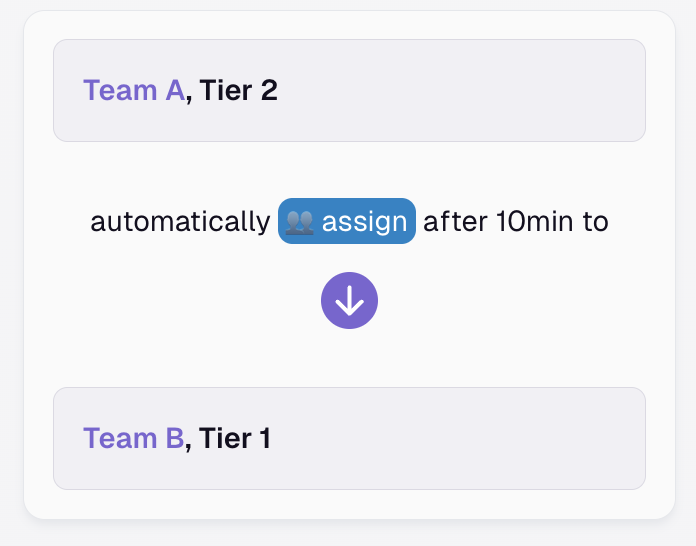
Assign Action - Escalate Incidents Across Several Teams
Need to involve colleagues from other teams to resolve an incident? Or want to reassign it to a totally different team?
Published: Saturday, 28 December 2024
Need to involve colleagues from other teams to resolve an incident? Or want to reassign it to a totally different team?
The “Assign to Team” feature, available on Pro and Enterprise plans, makes it easy to reassign incidents to the appropriate teams. It enables you to escalate incidents across various teams within your organization.
You can use it to
create automated routing rules for smooth auto-escalations across several teams
manually reassign incidents to other teams when additional support is needed
Here's how it works: https://docs.allquiet.app/essentials/incident#assign-to-team
More updates
-
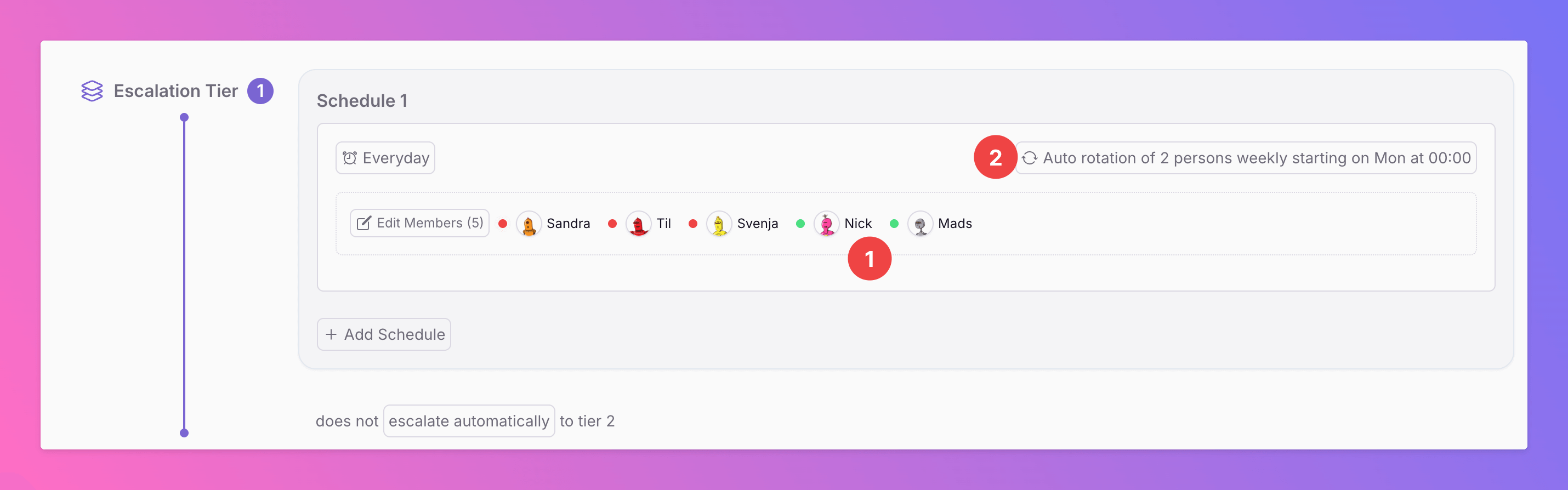
Auto-Rotations Are Live
With Auto Rotations , your team’s on-call duties rotate automatically, eliminating the need for manual setup. In the example above, a team of five members rotates on-call duty weekly in pairs:
-

🚀 Introducing the Microsoft Teams Integration
We’re excited to announce that All Quiet now integrates with Microsoft Teams, making it easier than ever to keep your team connected and informed. What Does This Mean for Your Team?
Published