

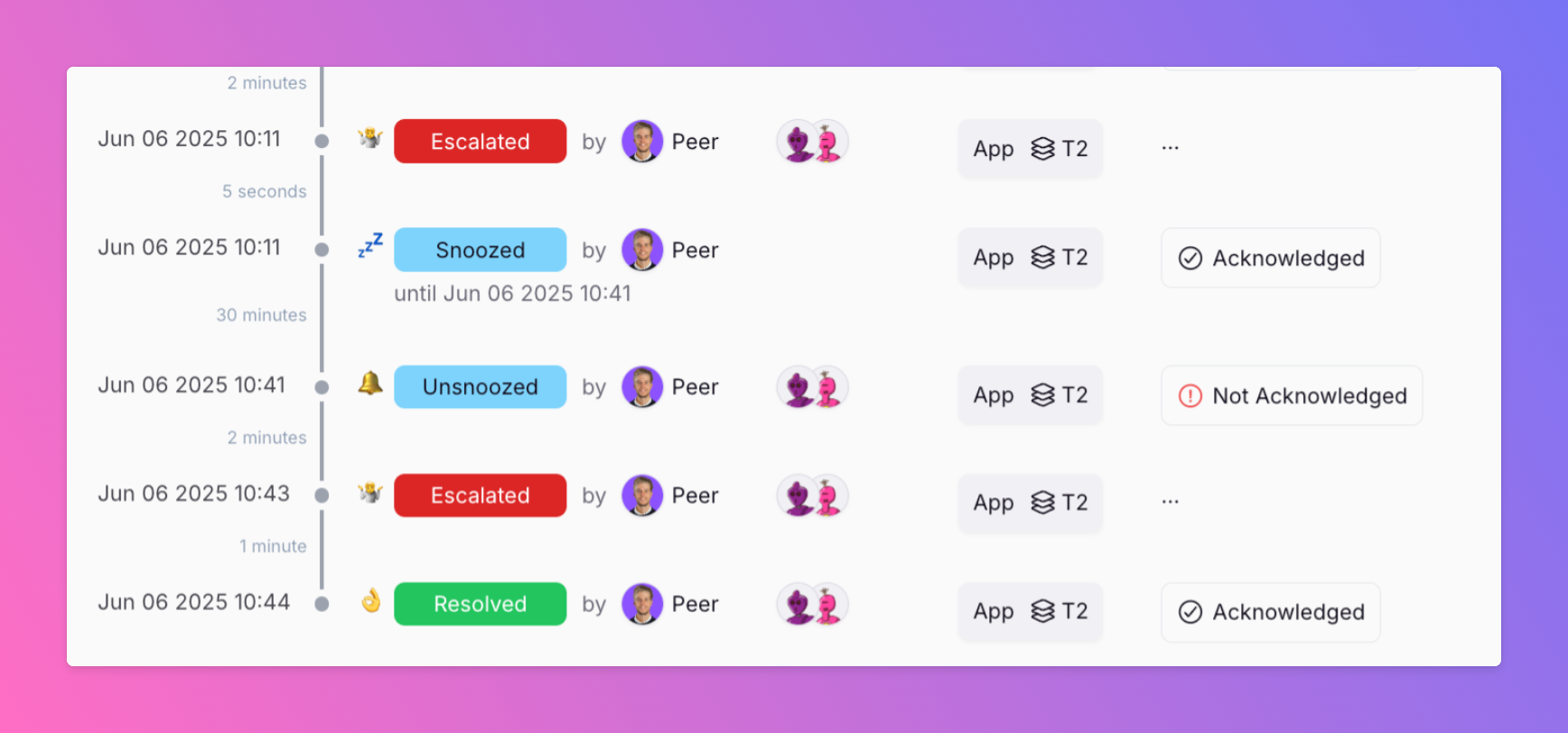
New: Snooze Incidents while you work on them
Ever had an incident where alerts kept escalating while you were already on it? Distracting. Unnecessary. We just shipped a small but mighty feature: manual snoozing for incidents.
Published: Friday, 06 June 2025
Ever had an incident where alerts kept escalating while you were already on it? Stressful. Distracting. Unnecessary.
We just shipped a small but mighty feature: manual snoozing for incidents.
🔕 Pause escalations while you’re actively investigating
🧘 Keep yourself and teammates calm
💬 Works directly from Slack, Google Chat, and MS Teams
Simple idea. Big impact on focus.
Docs here → https://docs.allquiet.app/essentials/incident#manually-snooze-%2F-unsnooze
Built for real-world incident response. Let us know what you think.
More updates
-
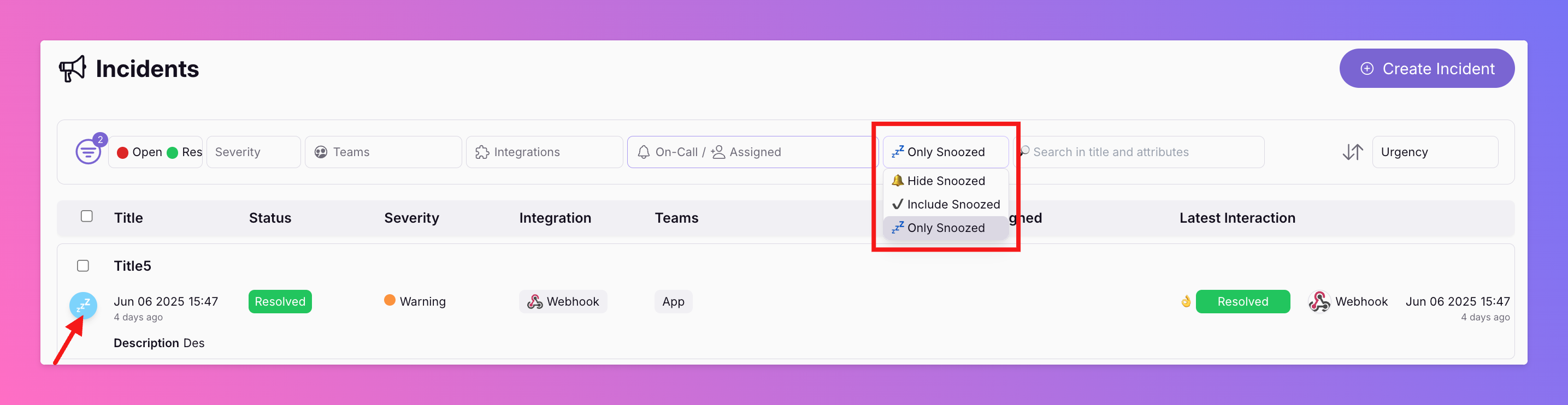
Filter for Snoozed Incidents Only
You can now filter the incident overview for snoozed incidents only (s. screenshot from Web App above). Starting from iOS 1.22.0 and And 1.17.5, our apps include this feature for the incident overview, too.
-
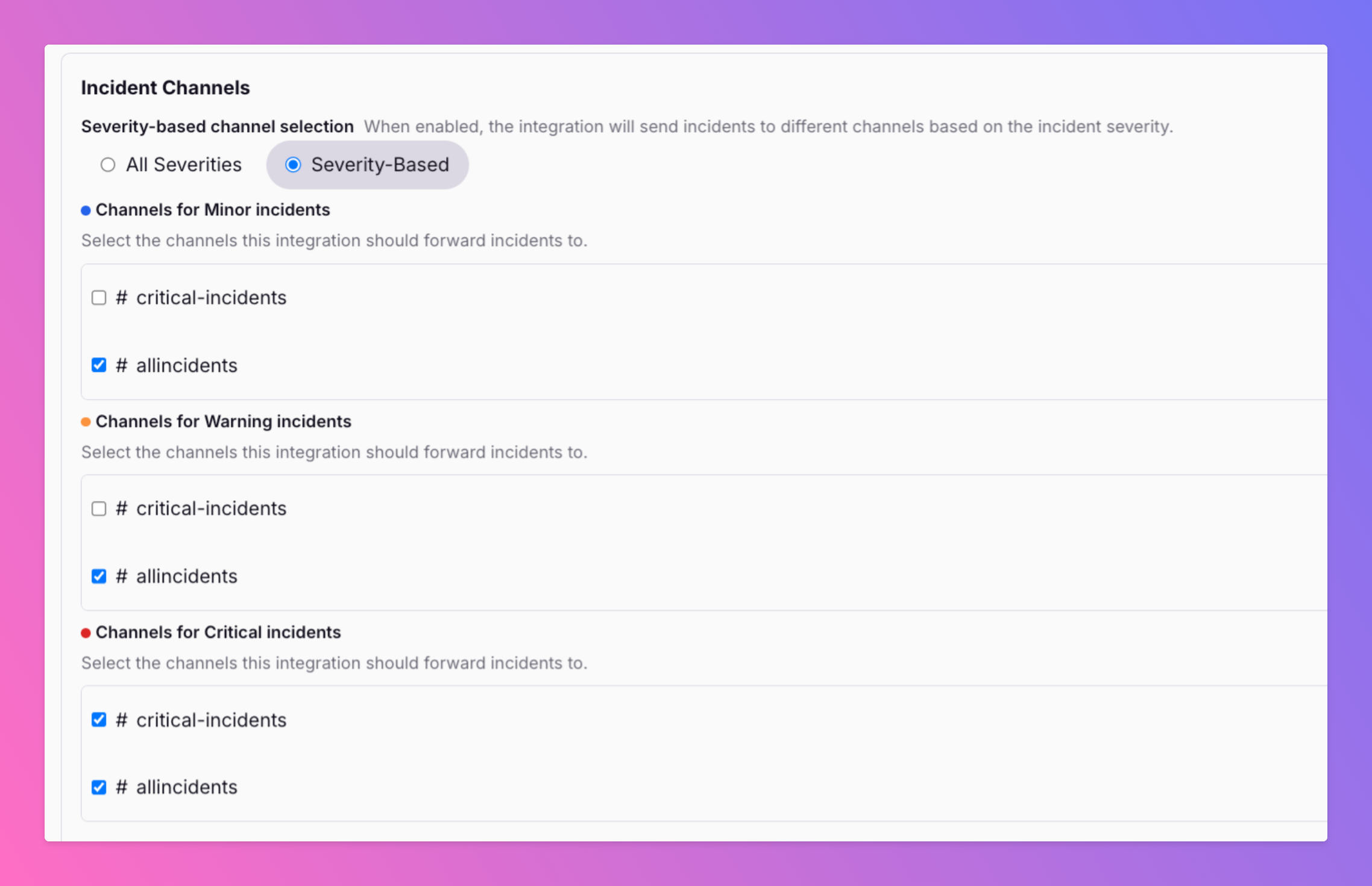
Filter Slack Channels For Incident Severity
🚨 Not every incident deserves a fire alarm in every Slack channel. A critical outage hits — your #oncall and #engineering-alerts channels need to know now .
Published