


When All-in-One tools meet. Connect Notion with All Quiet
Notion is one of today`s most celebrated software tools. And for good reason. It's usability and depth make it THE all-in-one productivity solution.
Published: Thursday, 19 September 2024
Notion is one of today`s most celebrated software tools. And for good reason. It's usability and depth make it THE all-in-one productivity solution.
With our latest integration, you can now connect Notion with our all-in-one incident management app.
The integration focuses on the post-incident phase and eases the preparation of post-mortems, retrospectives, or simply the documentation of incidents. It allows you to forward All Quiet incidents to Notion in a matter of seconds. We automatically create a page in your Notion workspace and pre-fill it with all of the incident's details & history.
Save time and get more efficient with our lates integration. We prepare all the information, so you can focus on understanding the incident's cause and prevent it from ever happening again.
Here is how you set it up in 2 minutes:
https://docs.allquiet.app/integrations/outbound/notion
More updates
-
New \\\\
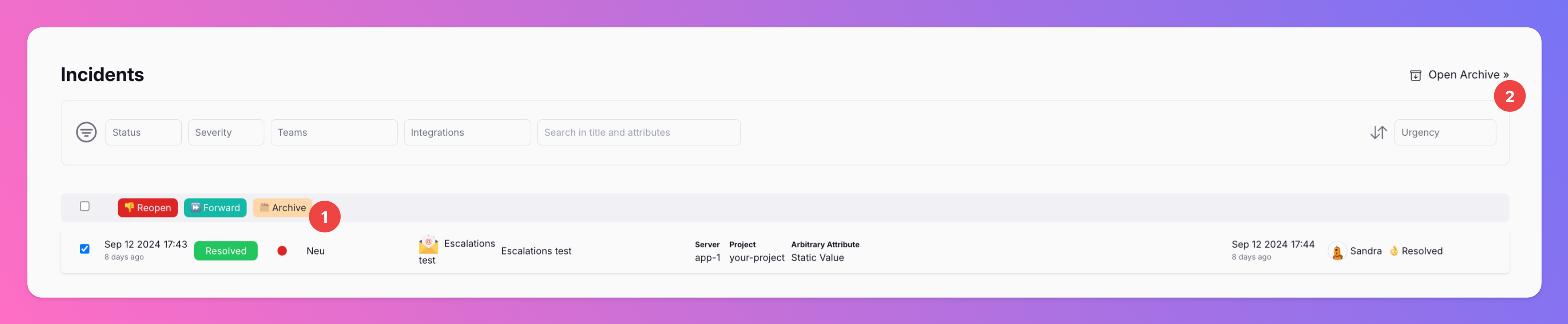
If you want to clean up your incidents overview, you can now archive incidents. Archiving incidents does not change their resolution state, only moves them from the incidents overview to the archive.
-
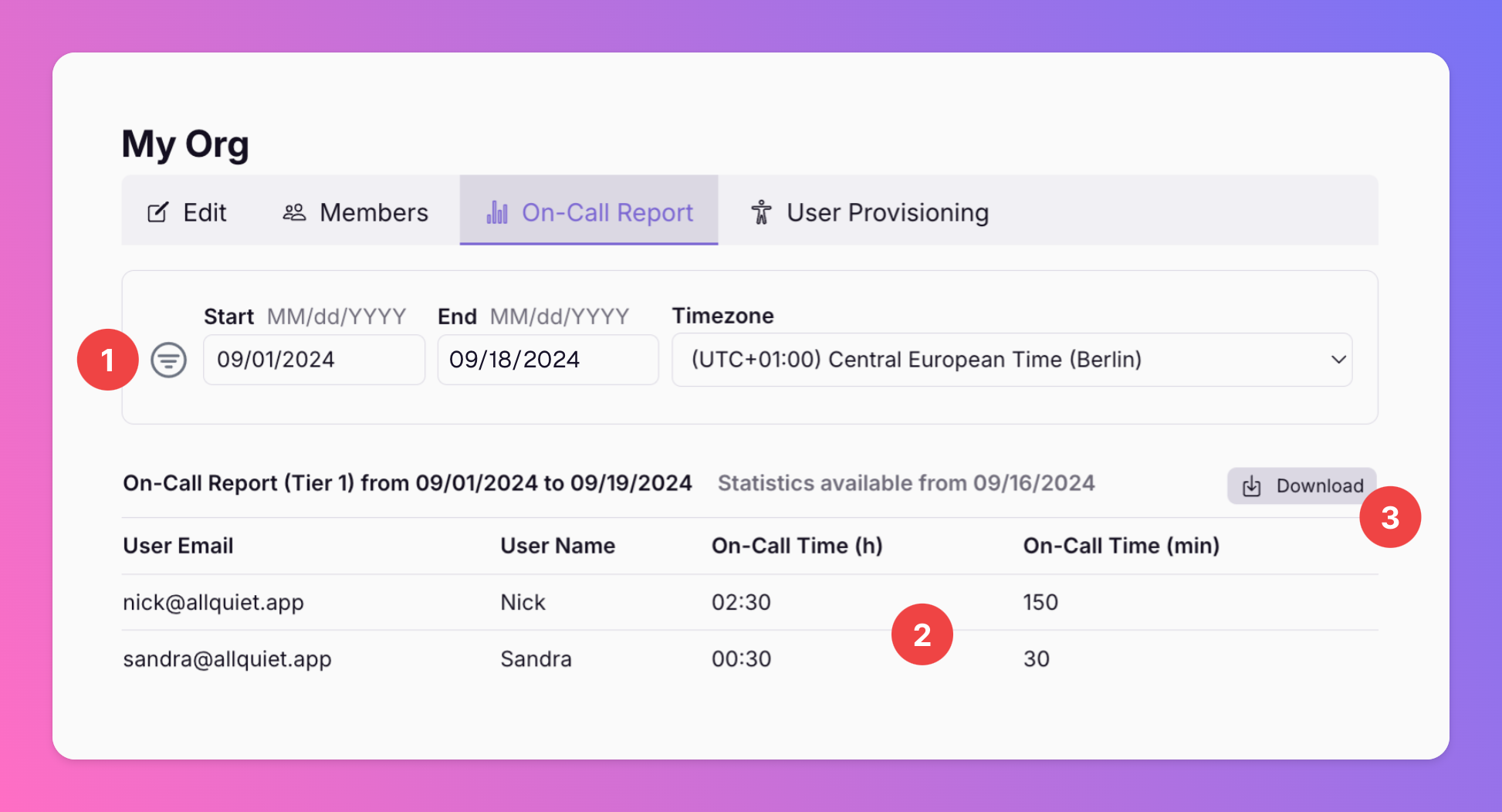
New: On-Call Reports
Available for Organizations with Pro and Enterprise plans. With this new report, you can get an overview of the on-call times of all of your organization's users.
Published