

New \\\\
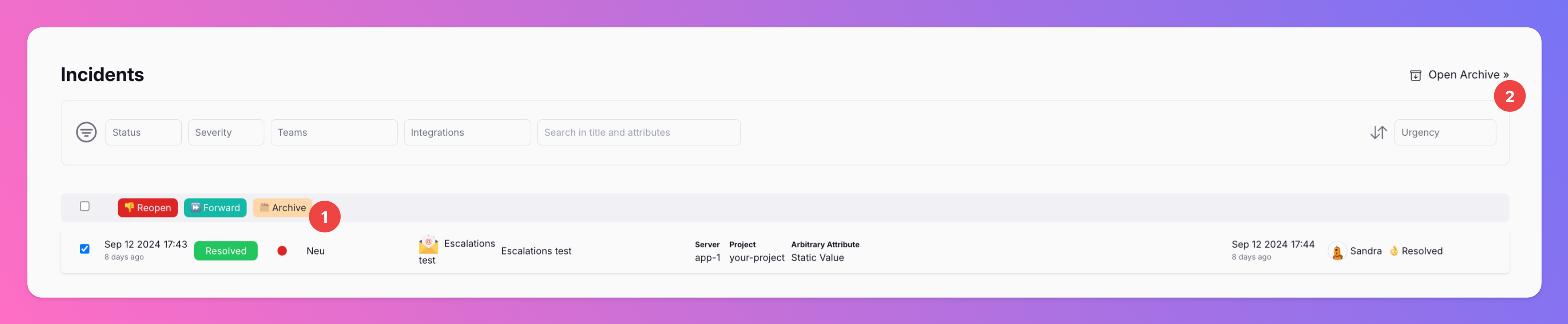
If you want to clean up your incidents overview, you can now archive incidents. Archiving incidents does not change their resolution state, only moves them from the incidents overview to the archive.
Published: Saturday, 21 September 2024
If you want to clean up your incidents overview, you can now archive incidents. Archiving incidents does not change their resolution state, only moves them from the incidents overview to the archive.
ArchiveIntentYou can open the archive from your incidents overview
Archived incidents can always be Unarchived. Then, they will be visible on the incidents overview, again.
More: https://docs.allquiet.app/essentials/incident#archiving-incidents
More improvements & fixes
Archive Incidents
More updates
-
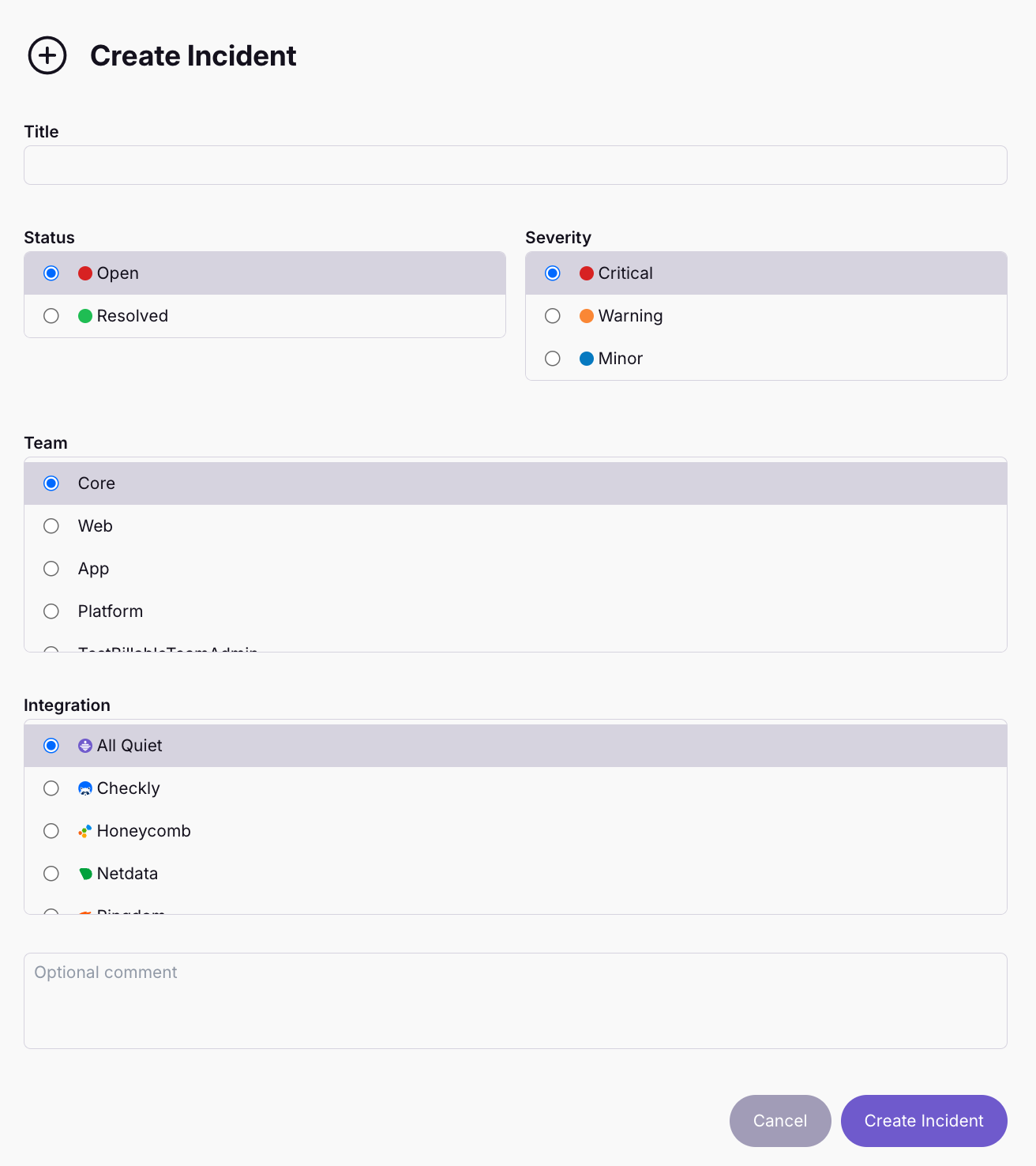
🆕 Manually Create Incidents
🤔 Sometimes, you know there's something wrong but your observability tools are silent. For these cases, we added the option to manually create incidents in All Quiet.
-

When All-in-One tools meet. Connect Notion with All Quiet
Notion is one of today`s most celebrated software tools. And for good reason. It's usability and depth make it THE all-in-one productivity solution.
Published