

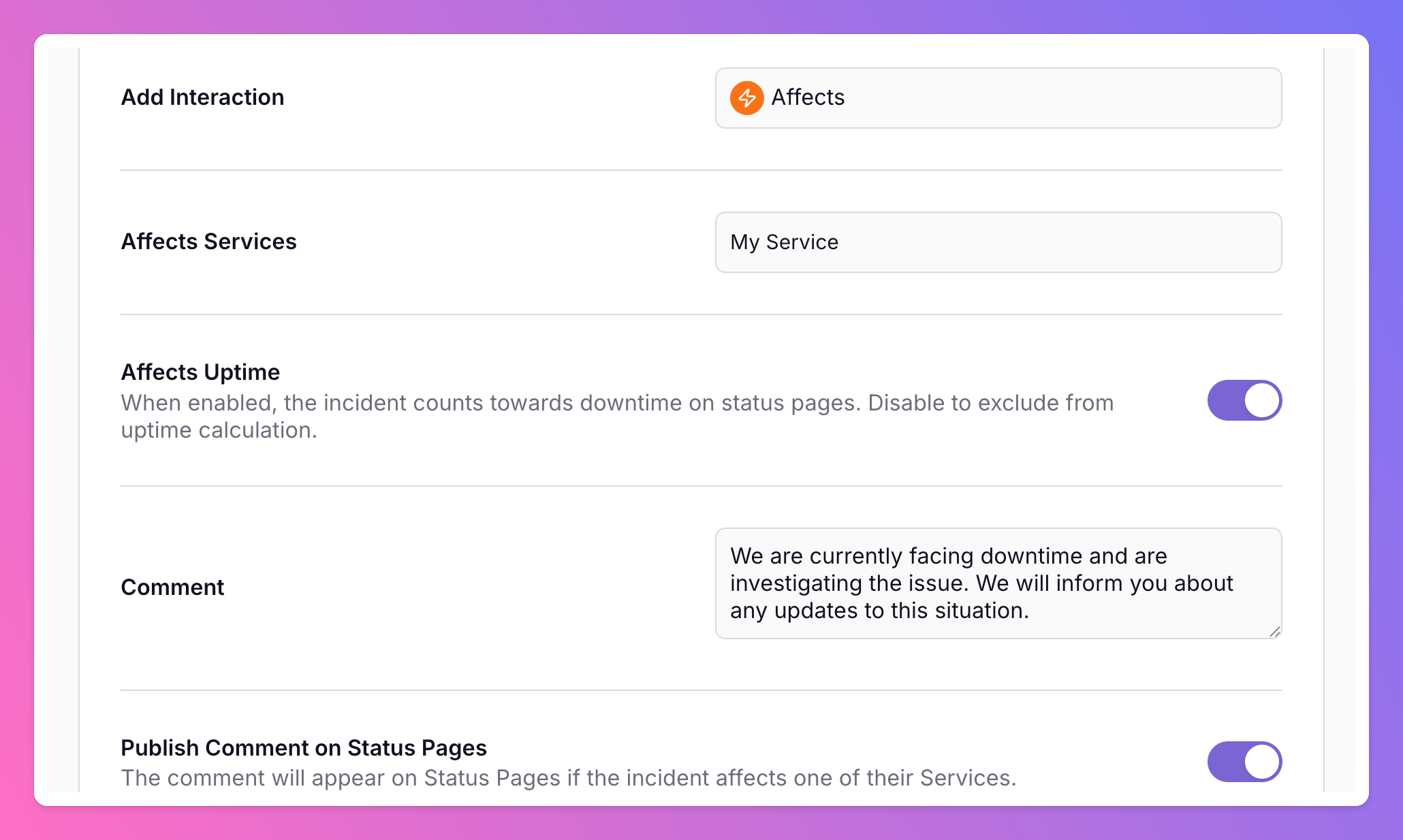
Affects Uptime Toggle and Routing Rule Comments
Control whether incidents count toward status page uptime when you affect services manually or via routing rules. Routing rules also support comments on more interactions, a dedicated Comment action, and optional status page publishing.
Published: Monday, 01 June 2026
Affects Uptime Toggle
When an incident affects one or more status page services, you can now choose whether it should count toward uptime and downtime calculations.
Incident actions: Use the Affects Uptime toggle when creating, declaring, or updating affected services on an incident.
Routing rules: For rules with the Affects interaction, configure Affects Uptime alongside affected services so automation can include or exclude incidents from uptime metrics.
Status pages: Excluded incidents still appear in service history for transparency, but they no longer reduce reported uptime.
Public API: Set
excludeFromUptimeCalculationon incidents and routing rule actions.
Routing Rule Comments
Advanced Incident Routings now support richer comment automation:
Comment interaction: Add a dedicated Comment rule action that requires a comment when triggered.
Comments on more actions: Attach optional comments to Resolve, Investigate, Reopen, Escalate, and Affects rule actions.
Status page publishing: Enable Publish Comment on Status Pages to show the comment on affected services. Paste in your pre-defined template messages for Services to automatically inform your stakeholders based on certain incident conditions.
Routing history: Comment and uptime settings appear in routing execution history for easier troubleshooting.
More updates
-
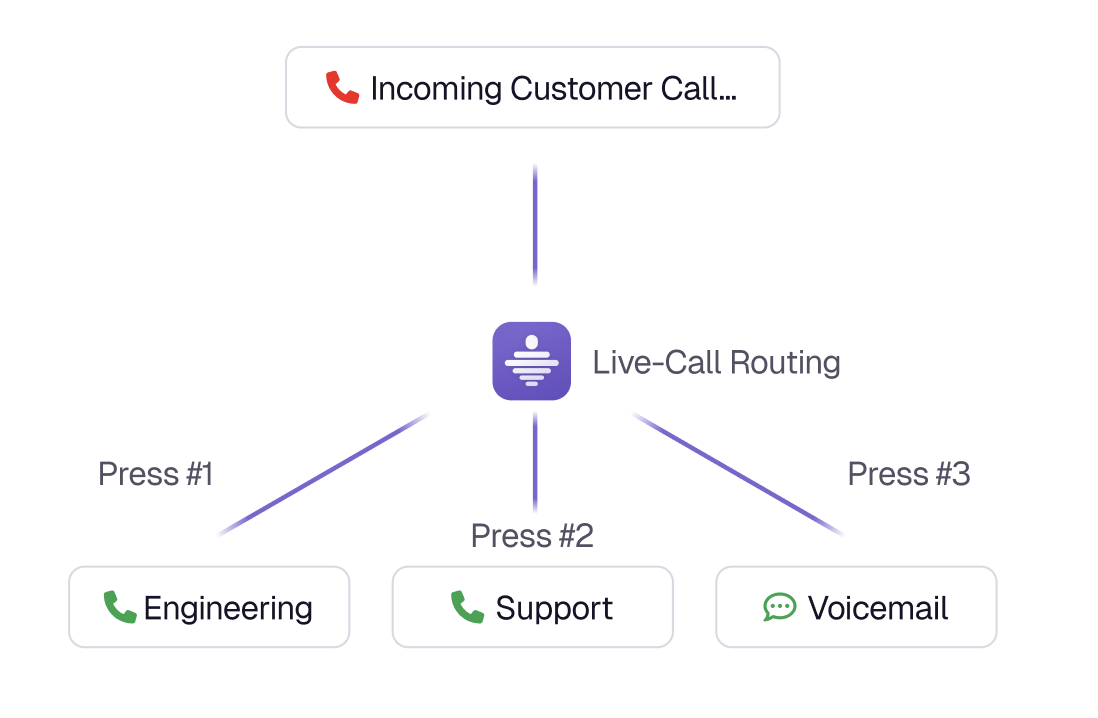
Live Call Routing with Twilio Integration
Route inbound hotline calls to your on-call team with zero telephony markup. Connect your Twilio number, configure IVR menus and escalation-aware dialing, and turn accepted calls and voicemails into incidents. Available in our Terraform provider from version 3.0.2.
-
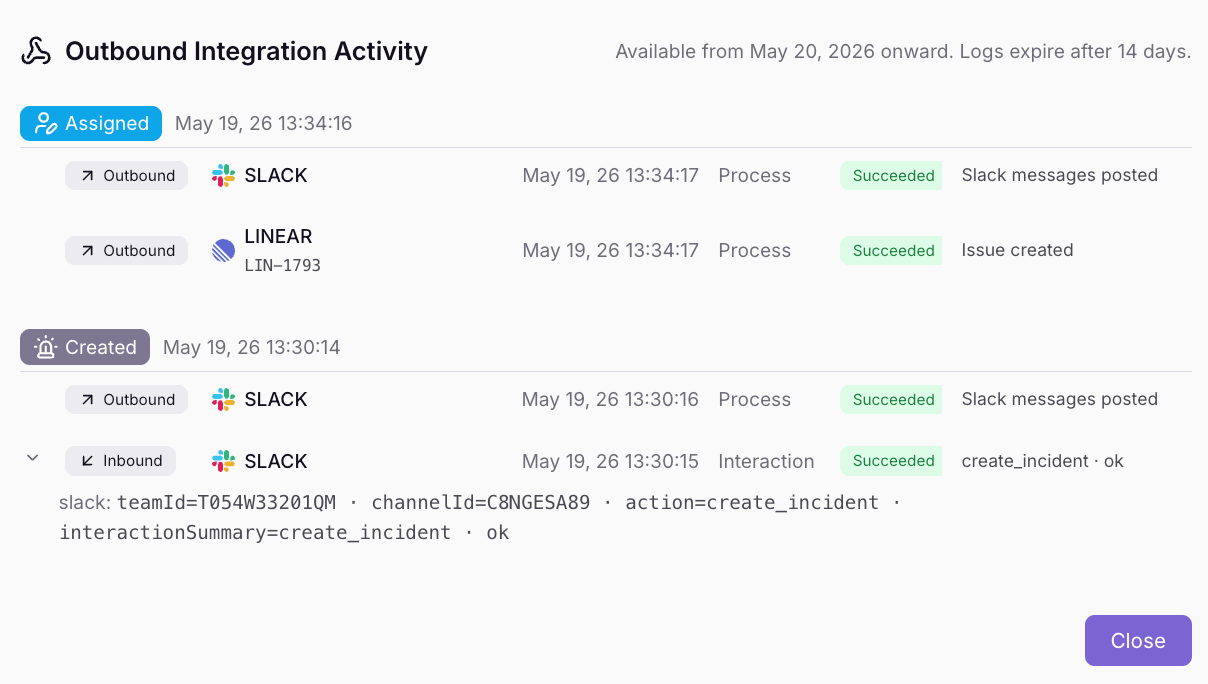
Outbound Integration Activity History
Outbound integrations now include a History tab with a complete activity trail of every integration event. View execution outcomes, error details, and cross-links to related incidents.
Published