

Outbound Integration Activity History
Outbound integrations now include a History tab with a complete activity trail of every integration event. View execution outcomes, error details, and cross-links to related incidents.
Published: Wednesday, 20 May 2026
Outbound Integration Activity History
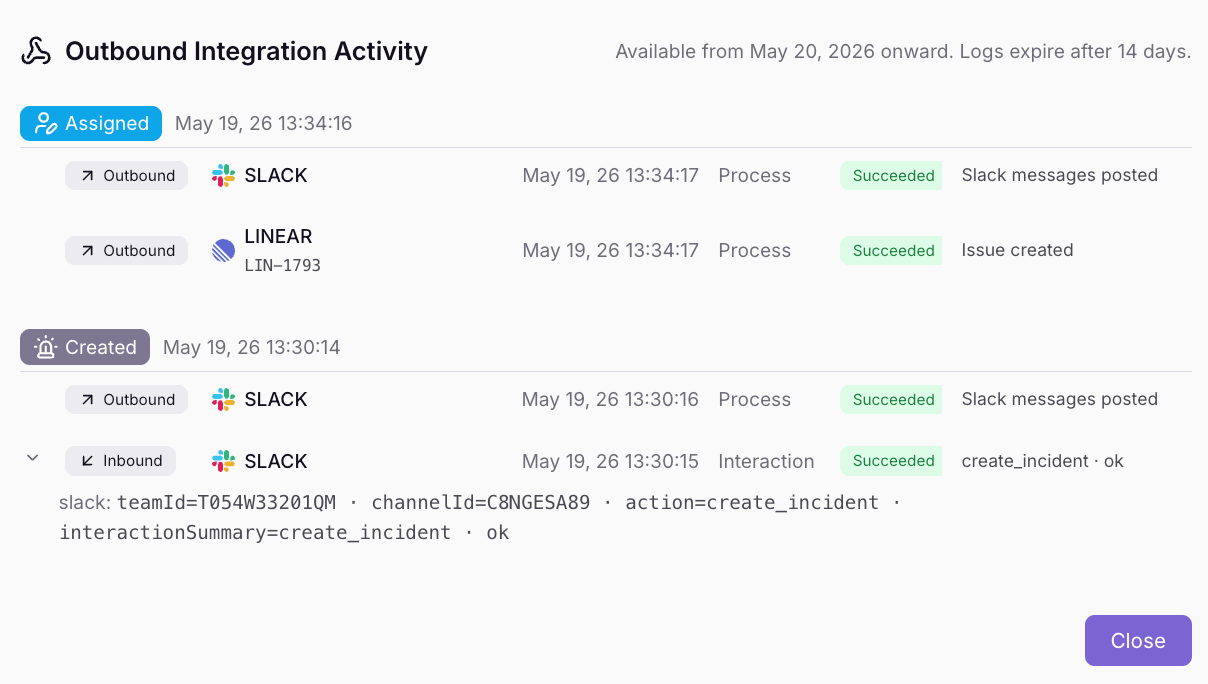
Outbound integrations now include a History tab. This feature provides a complete activity trail of every outbound and inbound event triggered from this integration — from ticket creation and chat messages to webhook callbacks and user interactions.
Execution Visibility: View direction (inbound/outbound), operation, outcome, and a human-readable description for each event.
14-Day Retention: All Quiet stores outbound integration activity for 14 days. This history is available starting 20 May 2026.
Expanded Data: Expand any row to see HTTP status codes, error details, and integration-specific context such as issue keys, channel IDs, or message IDs.
Cross-Links: Jump directly from a log entry to the related incident, or from an incident back to the integration.
Access Control: Organization Owners, Organization Administrators, and Team Administrators can view the History tab.
Per-Incident Outbound Integration Activity
Additionally, you can now view Outbound Integration Activity directly within the Properties sidebar of any incident.
Activity is grouped by incident event and shows which integrations ran for each action — including outcome badges, expandable error details, and deep links to the relevant outbound integration.
More updates
-
Affects Uptime Toggle and Routing Rule Comments
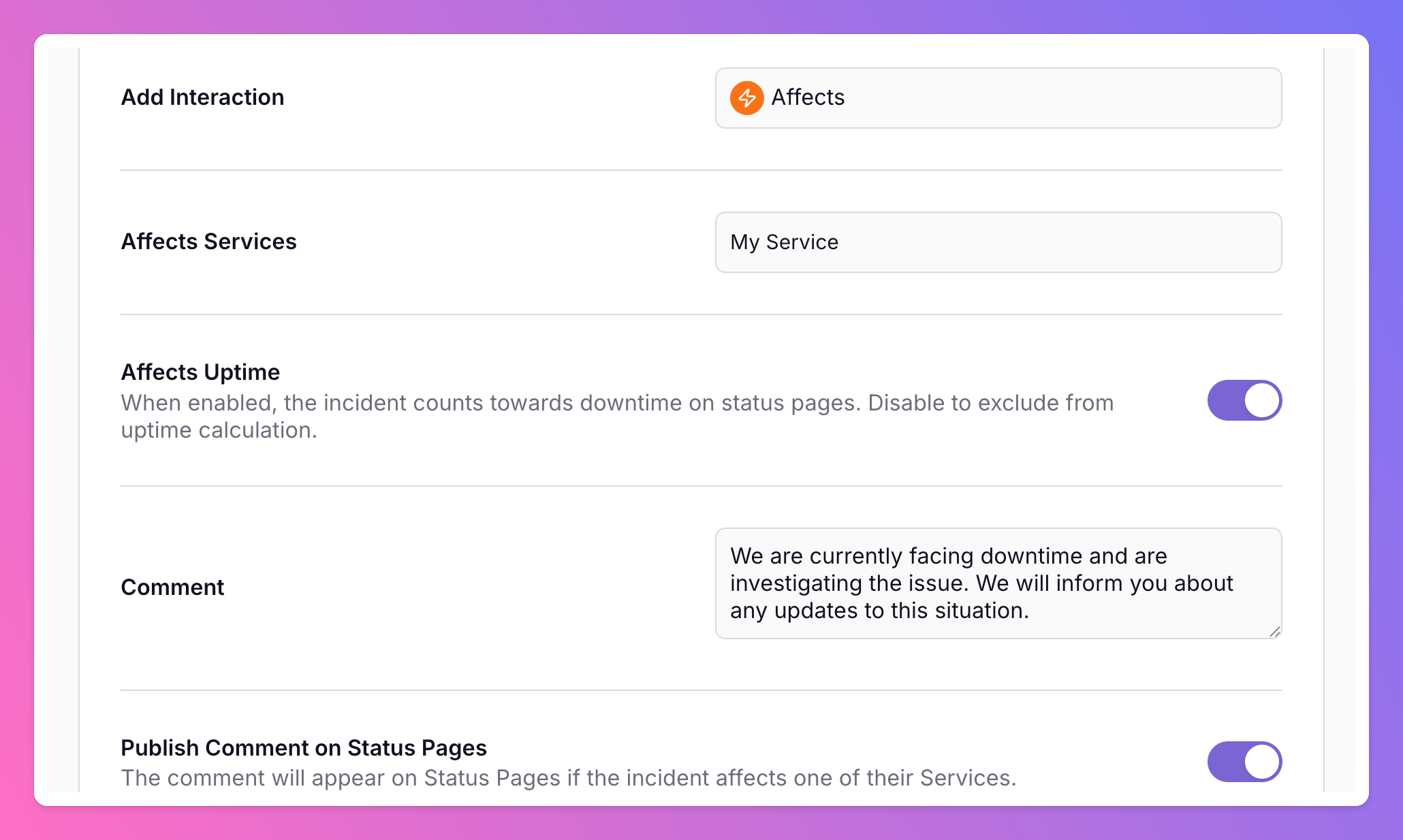
Control whether incidents count toward status page uptime when you affect services manually or via routing rules. Routing rules also support comments on more interactions, a dedicated Comment action, and optional status page publishing.
-
Routing Logs and Execution History
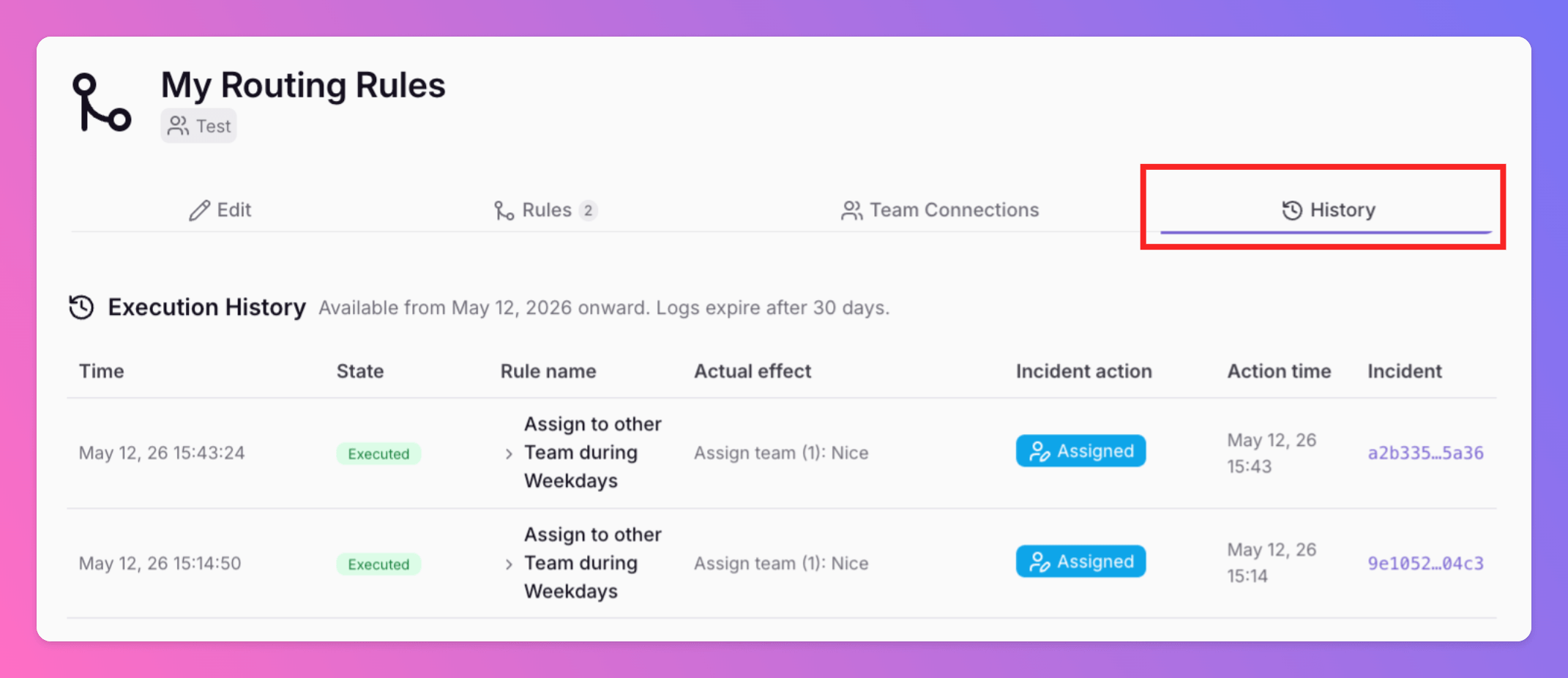
Advanced Routings now include a History tab. This feature provides a complete history trail of every routing decision. Execution Visibility: View exactly which rule was triggered and the changes applied.
Published