

Linear Integration: Custom Priority and Severity Mapping
All Quiet now lets you map incident severities to Linear issue priorities. Configure inbound and outbound mappings to fit your team's workflow and improve incident response accuracy.
Published: Thursday, 06 August 2026
All Quiet now lets you map incident severities to Linear issue priorities. You can configure both inbound and outbound mappings to fit your team's workflow. This update gives you full control over how your tools talk to each other and improves incident response accuracy.
Outbound Mapping (All Quiet to Linear)
When All Quiet creates an issue in Linear, you dictate the priority. You can map each All Quiet severity to a specific Linear priority. This custom configuration replaces the previous hardcoded setup.
Default Outbound Mappings
| All Quiet Severity | Linear Priority |
|---|---|
| Critical | Urgent |
| Warning | Medium |
| Minor | Low |
Inbound Mapping (Linear to All Quiet)
When Linear creates an incident in All Quiet, you can map multiple Linear priorities to a single All Quiet severity. This ensures your team receives the right level of alerting for every issue.
Default Inbound Mappings
| Linear Priority | All Quiet Severity |
|---|---|
| No Priority, Urgent | Critical |
| High, Medium | Warning |
| Low | Minor |
Fallback Behavior: If you set custom overrides but leave a Linear priority unmapped, All Quiet will default the incident severity to Critical. This fail-safe ensures your team never misses a potential security or reliability event.
Interface Updates
We updated the Linear integration settings to make this easy. You will find new severity and priority mapping blocks under both Create Issue in Linear and Create Incidents from Linear. The interface also includes helpful hints that display the default mappings.
Configure your mappings in the Linear integration settings: https://docs.allquiet.app/integrations/outbound/linear
More updates
-
Filter On-Call Report by Team
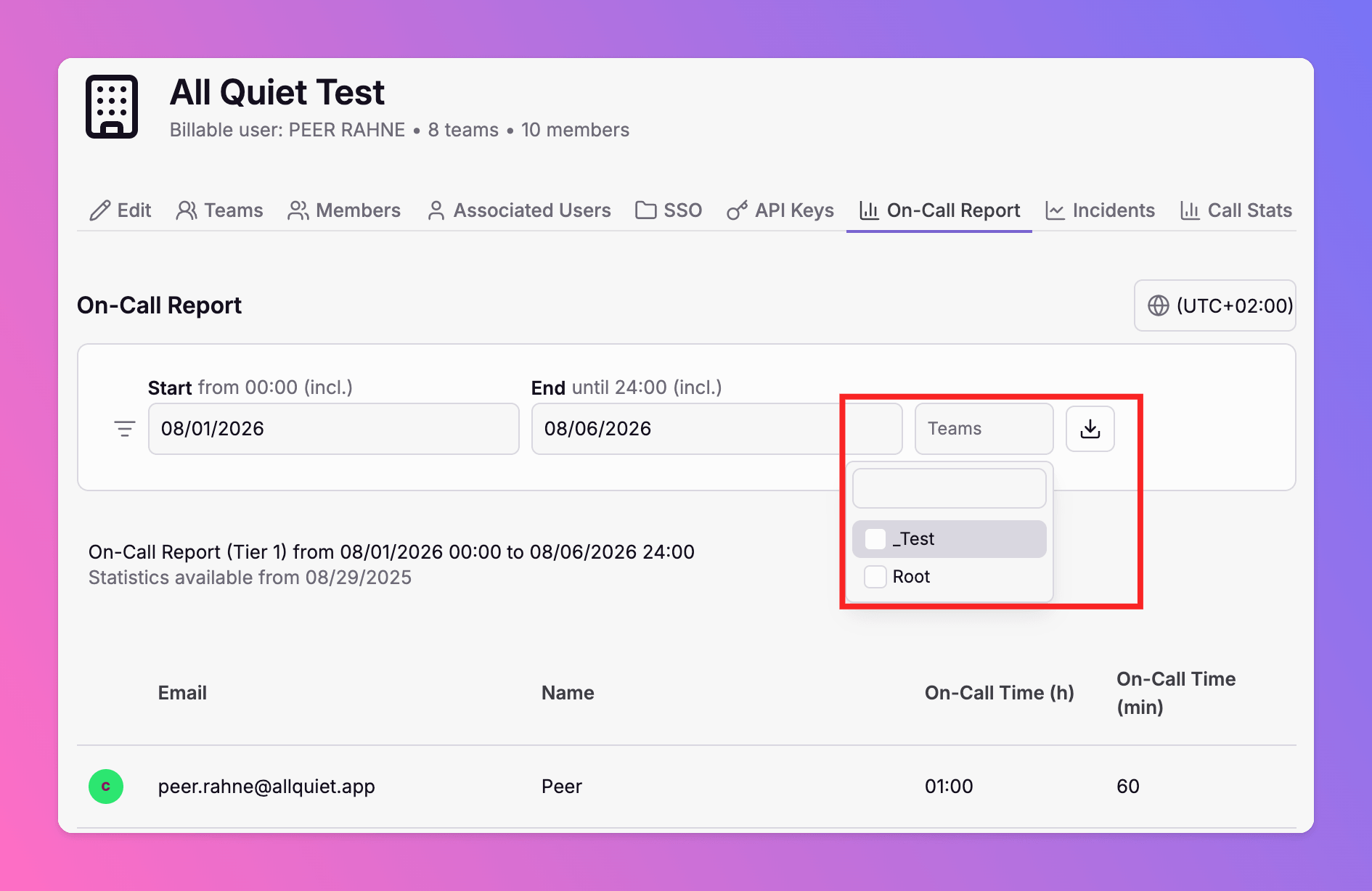
The on-call report now supports team-level filtering. Select one or more teams to calculate on-call hours for those teams only — in the web app and via the Public API.
-
Edit Incident Titles and Comments
All Quiet now allows you to edit incident titles and comments. Strict authorization rules protect your data, audit logs track every change, and status pages sync your edits instantly.
Published