

Notification History and Delivery Logs
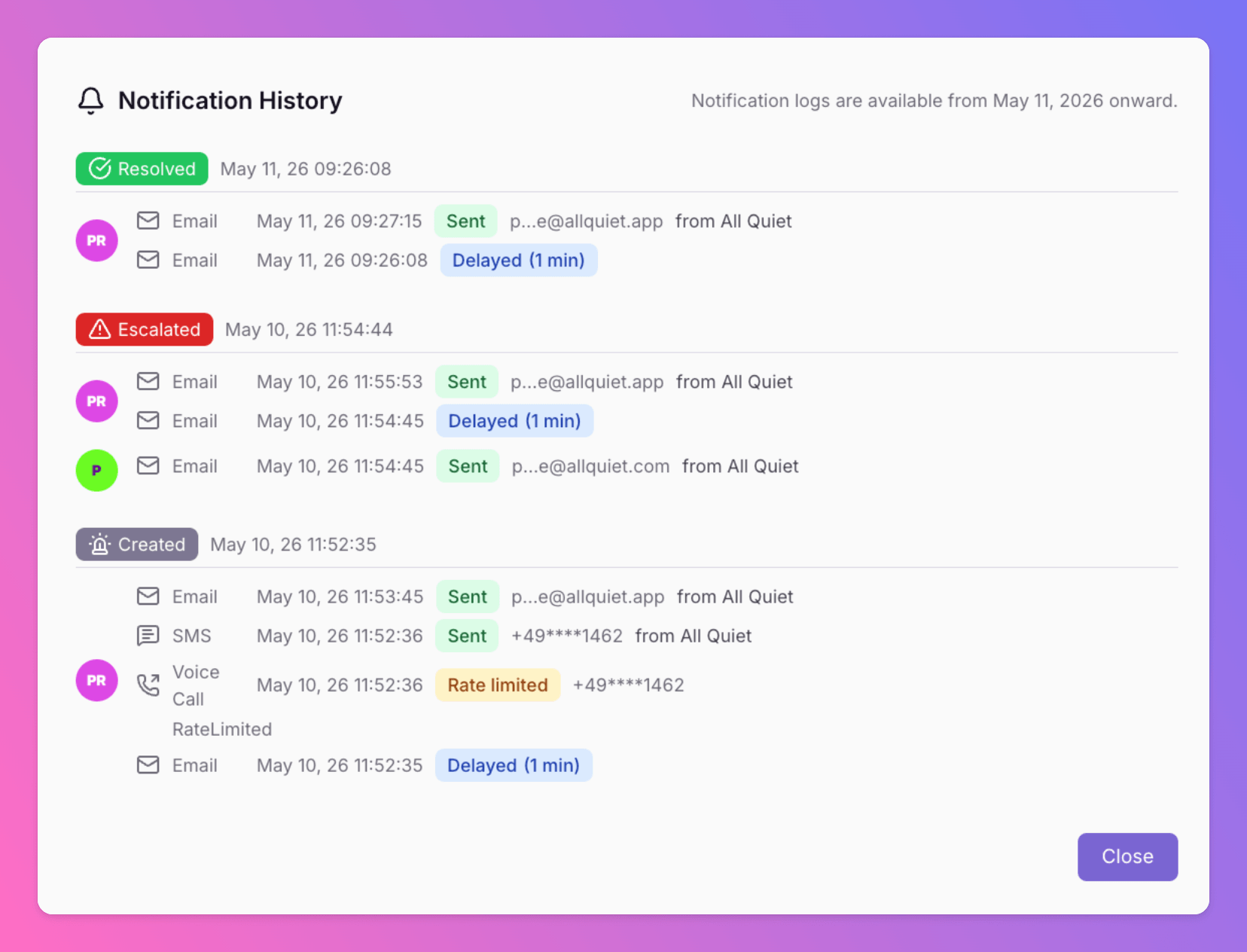
All Quiet now provides a detailed history of all notifications. Users and admins can track delivery results for every alert to ensure critical information reaches the right person.
Published: Monday, 11 May 2026
All Quiet now provides a detailed history of all notifications. Users and admins can track delivery results for every alert to ensure critical information reaches the right person.
Feature Overview
The Notification History tool tracks all outbound communication methods:
- **Email **
- **SMS **
- **Voice Calls **
- **Push Notifications **
Key Capabilities
- Delivery Outcomes: View the real-time status of every notification.
- Error Reporting: Access specific error details when a delivery fails.
- Contextual Links: Navigate directly to the related incidents from the log.
- Admin Support: Team admins can open an overlay within Incident Details to audit delivery per user and event.
Data Retention and Availability
- Release Date: May 11, 2026
- Retention Period: All Quiet stores notification logs for 30 days.
Navigation Paths
| Purpose | Location |
|---|---|
| Personal Logs | Account → Notifications → Notification Logs |
| **Incident History ** (only Team Admins and higher roles) | Incident Details → Notification History |
More updates
-
Routing Logs and Execution History
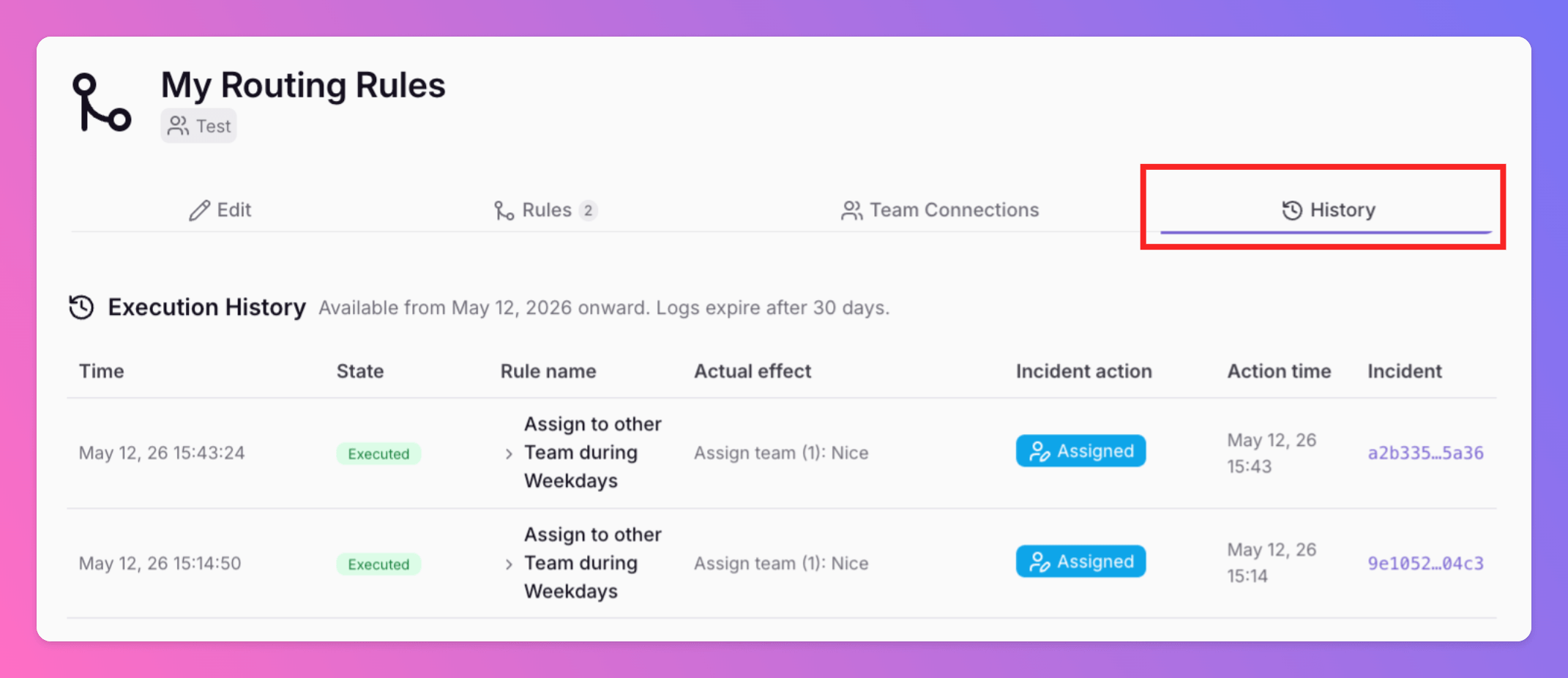
Advanced Routings now include a History tab. This feature provides a complete history trail of every routing decision. Execution Visibility: View exactly which rule was triggered and the changes applied.
-
Terraform Provider: Version 3.0.0 - Flexible Notification Management
All Quiet Terraform Provider v3.0.0 is now available. This update introduces a breaking change to provide greater flexibility in how you manage users and their incident notification settings.
Published