

Terraform Provider: Version 3.0.0 - Flexible Notification Management
All Quiet Terraform Provider v3.0.0 is now available. This update introduces a breaking change to provide greater flexibility in how you manage users and their incident notification settings.
Published: Wednesday, 06 May 2026
All Quiet Terraform Provider v3.0.0 is now available. This update introduces a breaking change to provide greater flexibility in how you manage users and their incident notification settings.
Key Benefits
- Decoupled Management: Separate user identity from notification preferences.
- Choice in Provisioning: Choose between fully managed setups or lightweight user creation where members configure their own settings.
- Granular Control: Manage notification rules as independent resources.
Breaking Change Overview
In version 3.0.0, we moved incident notification settings out of the allquiet_user resource. You must now use the new allquiet_user_incident_notification_settings resource to define how users receive alerts.
| Feature | v2.x.x (Legacy) | v3.0.0 (Current) |
|---|---|---|
| Resource | allquiet_user |
allquiet_user_incident_notification_settings |
| Attribute | incident_notification_settings |
Managed as a standalone resource |
| User Setup | Required via Terraform | Optional/Independent |
Required Action
You must update your Terraform configuration before your next deployment. If you upgrade the provider without updating your code, Terraform will fail because the old schema no longer exists.
Impact on Existing Users
This change only affects how Terraform manages configurations. It does not modify the settings of users you already provisioned. Their current notification rules remain active in the All Quiet platform.
Why We Made This Change
Version 3.0.0 allows you to decide how much control Terraform exerts over a user's experience.
- Fully Managed Provisioning: Use both
allquiet_userandallquiet_user_incident_notification_settingsif you want to enforce specific phone numbers and notification rules. - Lightweight Provisioning: Use only
allquiet_user. This creates the account and lets the team member set their own notification preferences within the All Quiet app later.
This separation simplifies the management of organizations with diverse notification needs.
Migration Guide
Follow these steps to upgrade to version 3.0.0:
- Upgrade the Provider: Update your Terraform required_providers block to version 3.0.0.
- Update User Resources: Remove the
incident_notification_settingsblock from allallquiet_userresources. - Add Notification Resources: For users who require Terraform-managed settings, create a new
allquiet_user_incident_notification_settingsblock. Link it to the user via the user ID. - Optional Self-Service: If you prefer new users to manage their own settings, omit the new notification resource for those specific accounts. For old users, you can also later delete
allquiet_user_incident_notification_settingsto allow self-management.
Example Migration
Before (v2.x.x):
resource "allquiet_user" "admin" {
  email = "admin@example.com"
  incident_notification_settings {
    # old configuration here
  }
}
After (v3.0.0):
resource "allquiet_user" "admin" {
  email = "admin@example.com"
}

resource "allquiet_user_incident_notification_settings" "admin_settings" {
  user_id = allquiet_user.admin.id
  # define notification rules here
}
If you need help with your specific configuration, contact our support team or refer to the technical documentation for detailed resource attributes.
More updates
-
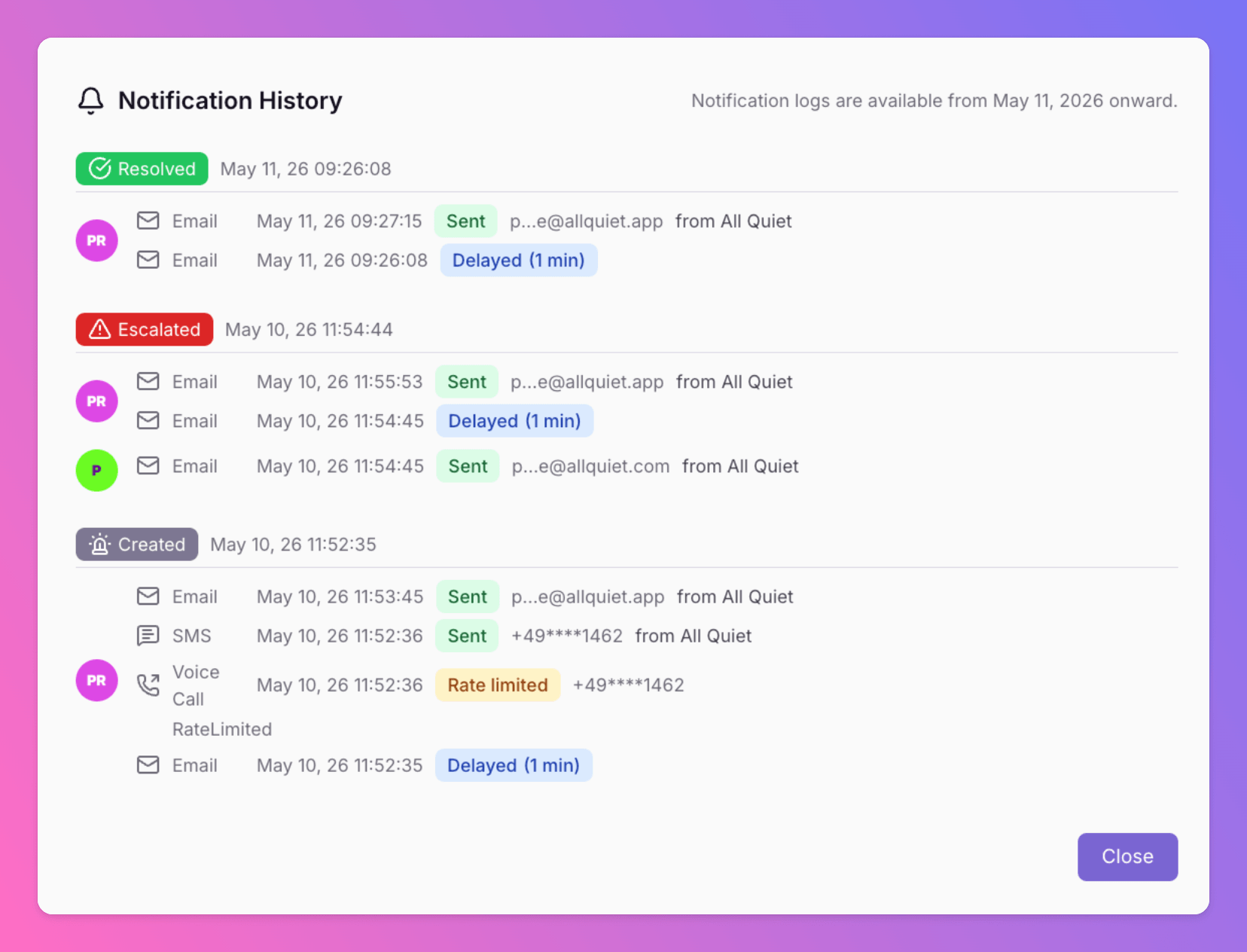
Notification History and Delivery Logs
All Quiet now provides a detailed history of all notifications. Users and admins can track delivery results for every alert to ensure critical information reaches the right person.
-
New Outbound Integrations: Google Docs and Google Sheets
Forward All Quiet incidents directly to Google Workspace. This integration automates documentation for postmortems and historical records within your existing team workflow.
Published