

Routing Logs and Execution History
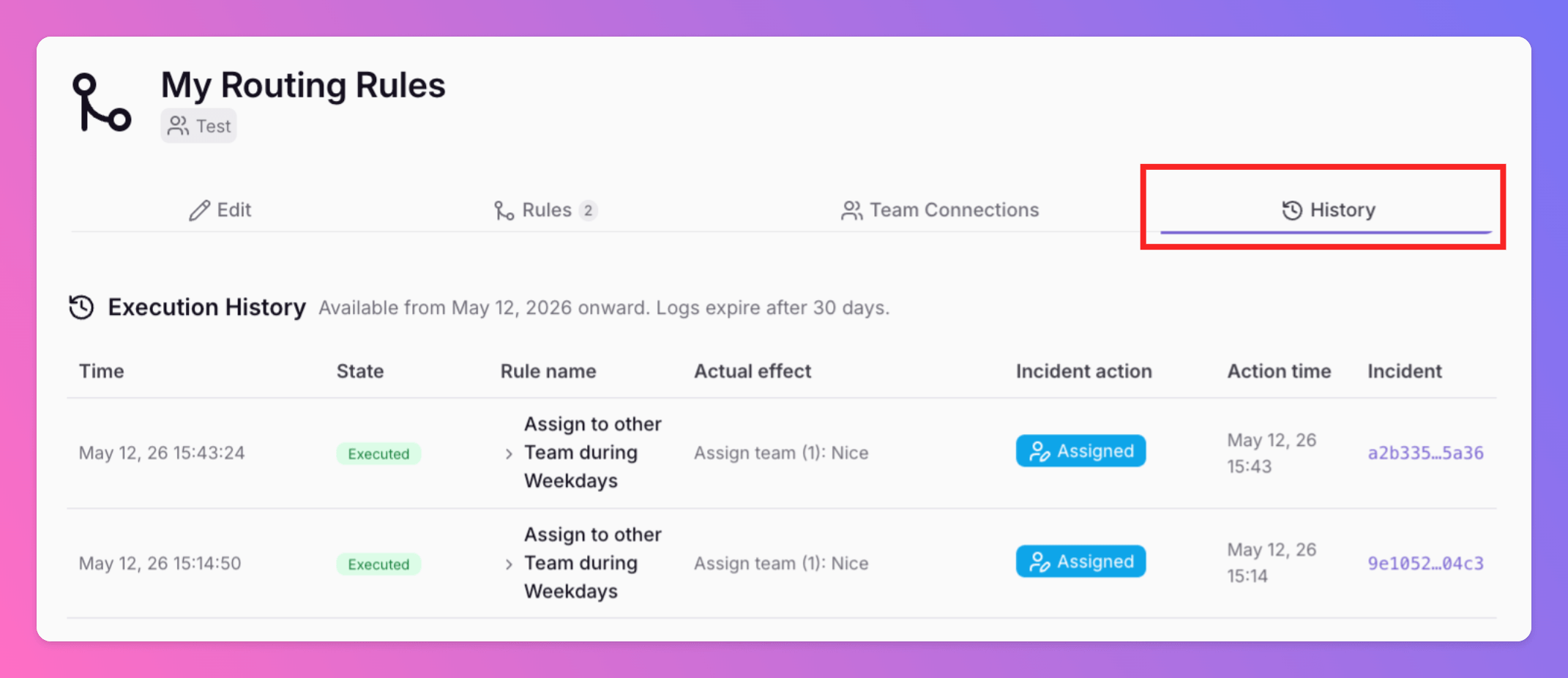
Advanced Routings now include a History tab. This feature provides a complete history trail of every routing decision. Execution Visibility: View exactly which rule was triggered and the changes applied.
Published: Tuesday, 12 May 2026
Advanced Incident Routing History
Advanced Routings now include a History tab. This feature provides a complete history trail of every routing decision.
Execution Visibility: View exactly which rule was triggered and the changes applied.
30-Day Retention: All Quiet stores routing history for 30 days. This history is available starting 12 May 2026.
Expanded Data: Click any row to see the specific conditions, actions, and channels involved in a routing event.
Access Control: Team members with read-only permissions can still view the History tab to assist with troubleshooting.
Per-Incident Routing Details
Additionally, you can now view Routing rule executions directly within the Properties sidebar of any incident.
It includes outcome badges and deep links to help support teams jump directly to the relevant routing rule.
More updates
-
Outbound Integration Activity History
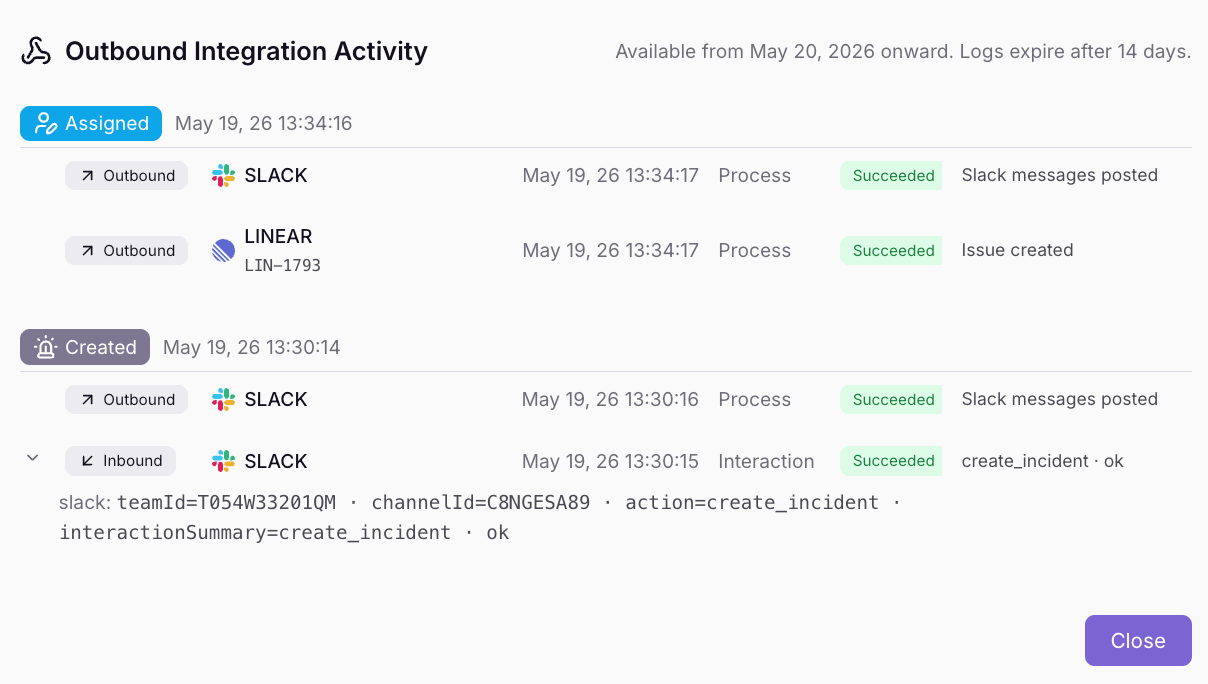
Outbound integrations now include a History tab with a complete activity trail of every integration event. View execution outcomes, error details, and cross-links to related incidents.
-
Notification History and Delivery Logs
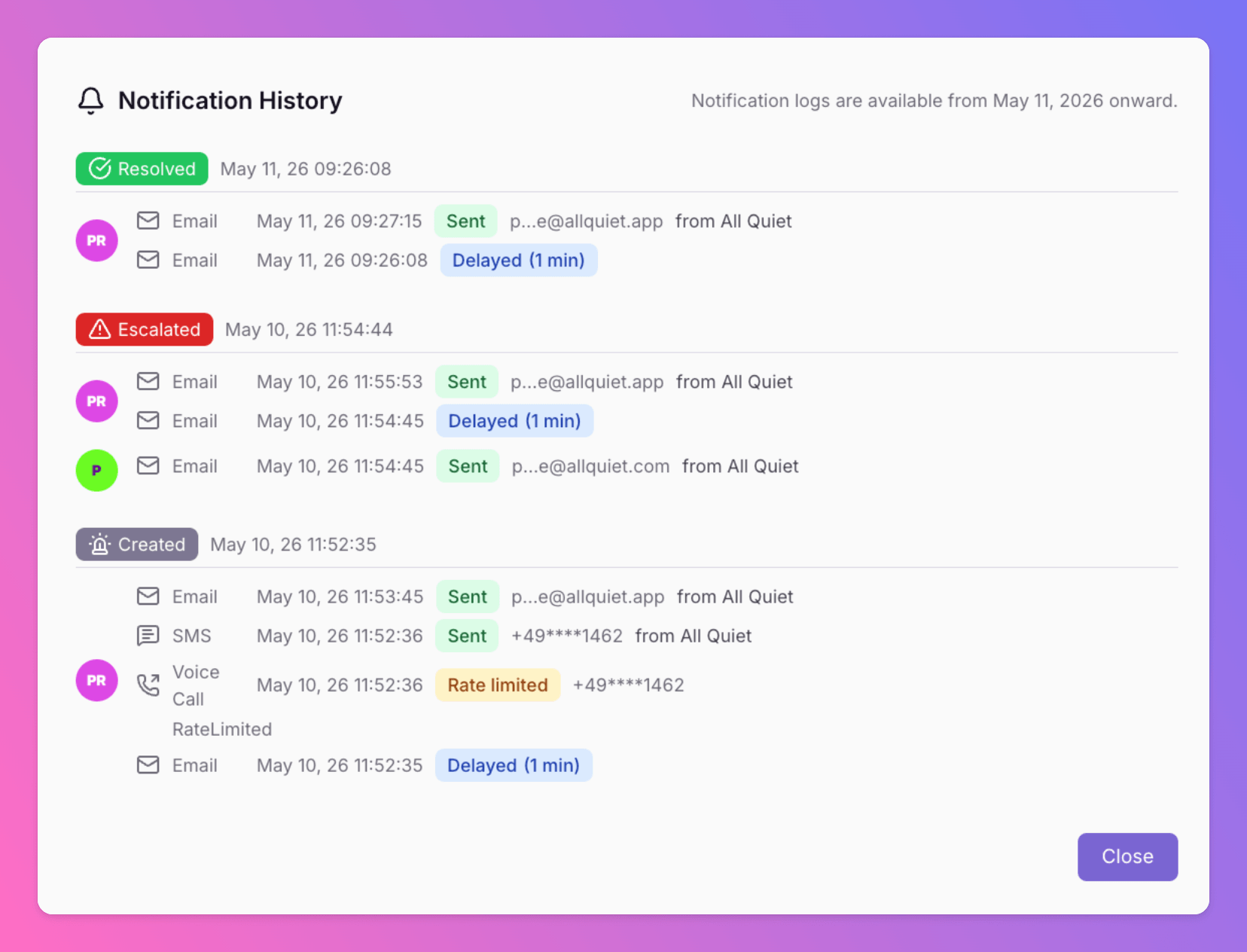
All Quiet now provides a detailed history of all notifications. Users and admins can track delivery results for every alert to ensure critical information reaches the right person.
Published